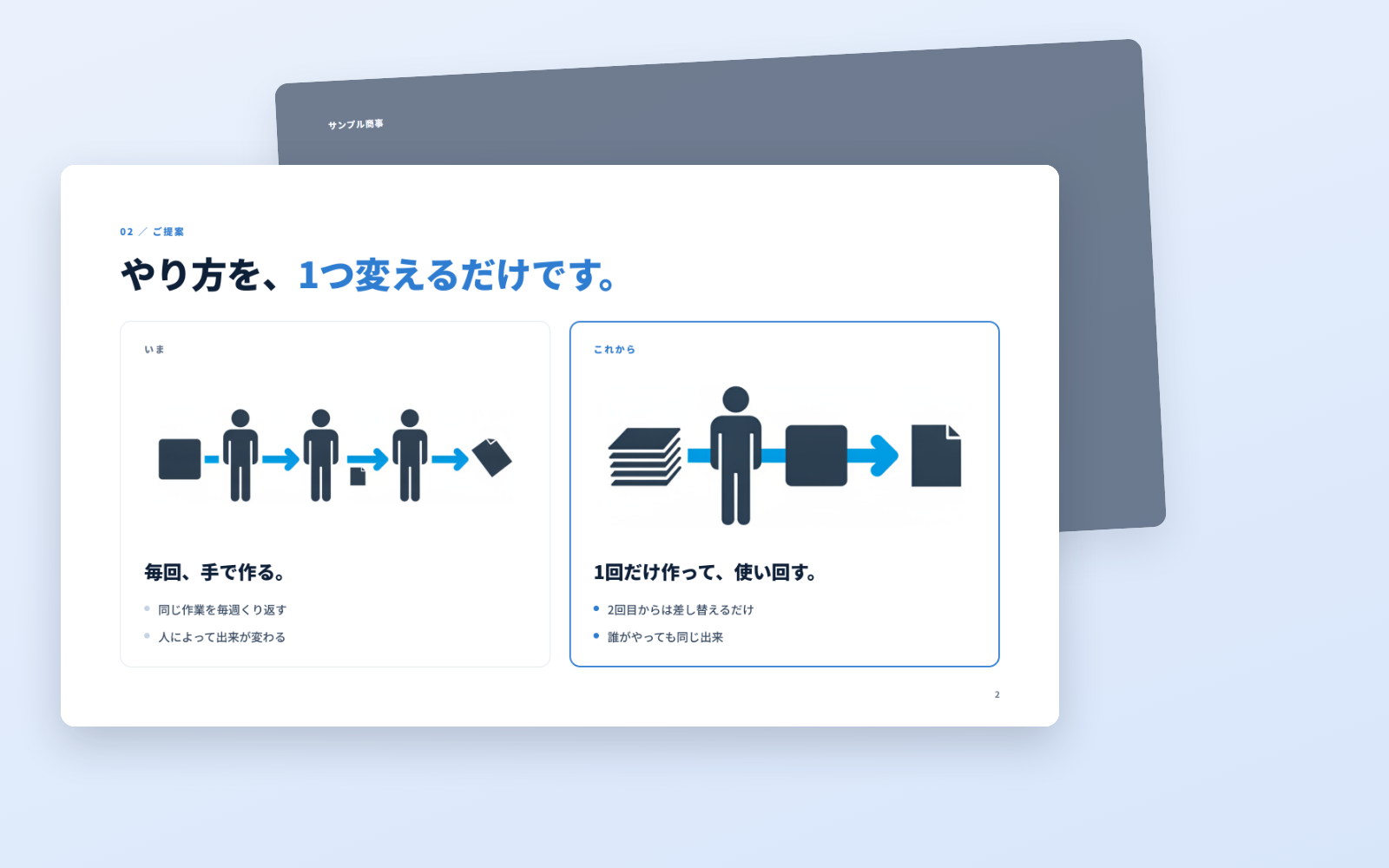
Deck Builder Kit is a kit for Claude Code and Codex. Polished decks, in the same format every time. It includes 5 fixes for pitfalls the maker hit in real work. Free.
When this helps
Every rep sends out proposals that look different
What it does
A complete deck you can take straight into a meeting. Write it, get a URL, and download a PDF of exactly that page. Six diagram patterns are included, so the layout never falls apart.
The fixes baked into this kit
- Pictograms vanish on the published pageThey show up in your browser but disappear on the public URL. If you notice after printing, it is too late. The checklist makes you open the published URL and confirm.
- "Print → Save as PDF" by hand does not match the screenMargins, page breaks and colours drift. PDFs come from the same pipeline as the page (tools/deploy.sh); hand-exporting is off the table.
- Generated images keep a white borderDrop an image in as-is and its white background sits as a rectangle on top of your page colour. The flow runs every image through a trim tool (tools/trim.py).
- Image colours do not match the deckGenerate images while the kit is still on default navy and they end up a different palette. You pick the colours (--ink / --accent) first, then generate.
- The URL is still using the default ID and passwordHand that over and anyone who knows the defaults can open it. A check reminds you to change them per recipient.
What's inside
- Design rules
- Step-by-step flow
- Prompt library
- 16 pictograms
- Image-making tool
- Publishing (URL + PDF)
File list (11)
- deck.html (the 10-page base, 7 patterns)
- img/ (3 sample images, pictogram-style illustration)
- rules/FLOW.md (how to proceed)
- rules/TONE.md (design rules)
- rules/PROMPTS.md (phrasings you can use as-is)
- rules/CHECK.md (checks before you ship)
- tools/deploy.sh (publishes the URL and the PDF — just this one)
- tools/genimg.mjs (make images) / tools/trim.py (trim image margins)
- middleware.js (puts an ID and password on the URL)
- CLAUDE.md (instructions for the AI)
- KIT.md (the explanation for whoever uses it)
The first three decisions
- Company name
- Colour (navy by default)
- The one line on the cover
What you need
- No extra costNo extra subscriptionThis alone gets you from writing the deck to a finished PDF.
- Extra costA Gemini API keyOnly if you want AI to draw images. You pay for what you generate (the 16 small pictograms are included from the start).
How to use
Just paste this into your AI.
I want to use the nice to have kit "Deck Builder Kit". Follow https://nicetohave.app/en/g/YL3HM9F4-•••••••••• and set it up.
Works the same in Claude Code or Codex. If you have Safe Rail (the guard that stops dangerous operations automatically), it fetches the kit for you.
Read what this tells your AI to do, before you paste it
If you would rather take the files yourself
Paste the line above and your AI fetches it. To download it yourself, start here.
- Unpack the zip you downloaded
- Open the resulting folder in Claude Code or Codex (in VS Code, "Open Folder")
- Type "start building with this kit". The instructions are inside (Claude Code reads
CLAUDE.md, Codex readsAGENTS.md)
This route comes without Safe Rail, the guard that stops dangerous operations automatically. If you are building something that handles keys or personal data, use Claude Code with Safe Rail.
FAQ
- What does Deck Builder Kit do?
- A complete deck you can take straight into a meeting. Write it, get a URL, and download a PDF of exactly that page. Six diagram patterns are included, so the layout never falls apart.
- Which AI tools does it work with?
- Claude Code and Codex. Copy the one line on the kit page and paste it into your AI; it pulls in the kit and starts (copying needs a GitHub or Google sign-in).
- Does it cost anything?
- The kit is free. A Gemini API key may cost extra. The AI tool itself is billed under your own plan.
- How is this different from just asking an AI?
- It already contains the fixes for pitfalls the maker hit in real work: "Pictograms vanish on the published page", ""Print → Save as PDF" by hand does not match the screen", "Generated images keep a white border", "Image colours do not match the deck", "The URL is still using the default ID and password".
- What do I decide first?
- Three things: Company name; Colour (navy by default); The one line on the cover. The AI asks them one at a time.
- Does it handle personal data?
- No.
Reviews
This is your kit. You can also see its reviews on your page.
No reviews yet. Be the first to say something.
Supporters
Once support opens, the people who backed this kit will be listed here.
- Publisher
 ohirutabeyo
- Published
- 2026/08/27
- Price
- Free
- Category
- Documents
- Personal data
- Not handled
- Security review
- Not needed (no personal data)
- What's inside
More kits
 sariqh2026/09/27
 YouTube Game KitFree
Bring your game up to YouTube's requirements, all the way to applying
ohirutabeyo2026/09/17
YouTube Game KitFree
Bring your game up to YouTube's requirements, all the way to applying
ohirutabeyo2026/09/17
 Furniture-to-3D KitFree
Spec drawings and product photos into an AR-ready 3D model
ohirutabeyo2026/09/12
Furniture-to-3D KitFree
Spec drawings and product photos into an AR-ready 3D model
ohirutabeyo2026/09/12