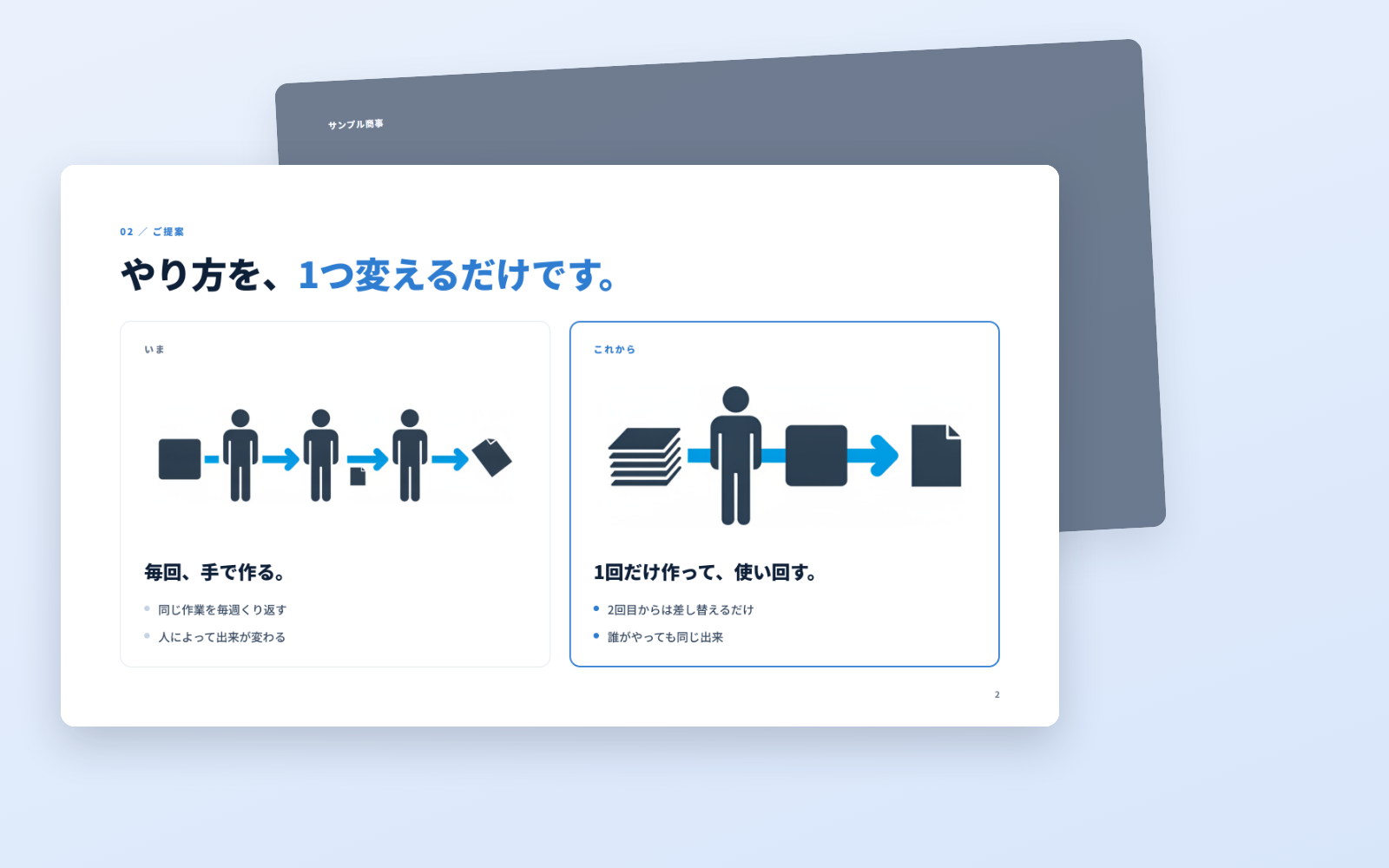



Deck Builder Kit is a kit for Claude Code and Codex. Polished decks, in the same format every time. It includes 5 fixes for pitfalls the maker hit in real work. Free.
When this helps
Every rep sends out proposals that look different
What it does
A complete deck you can take straight into a meeting. Write it, get a URL, and download a PDF of exactly that page. Six diagram patterns are included, so the layout never falls apart.
The fixes baked into this kit
Pictograms vanish on the published pageThey show up in your browser but disappear on the public URL. If you notice after printing, it is too late. The checklist makes you open the published URL and confirm.
"Print → Save as PDF" by hand does not match the screenMargins, page breaks and colours drift. PDFs come from the same pipeline as the page (tools/deploy.sh); hand-exporting is off the table.
Generated images keep a white borderDrop an image in as-is and its white background sits as a rectangle on top of your page colour. The flow runs every image through a trim tool (tools/trim.py).
Image colours do not match the deckGenerate images while the kit is still on default navy and they end up a different palette. You pick the colours (--ink / --accent) first, then generate.
The URL is still using the default ID and passwordHand that over and anyone who knows the defaults can open it. A check reminds you to change them per recipient.
Open the resulting folder in Claude Code or Codex (in VS Code, "Open Folder")
Type "start building with this kit". The instructions are inside (Claude Code reads CLAUDE.md, Codex reads AGENTS.md)
This route comes without Safe Rail, the guard that stops dangerous operations automatically. If you are building something that handles keys or personal data, use Claude Code with Safe Rail.
FAQ
What does Deck Builder Kit do?
A complete deck you can take straight into a meeting. Write it, get a URL, and download a PDF of exactly that page. Six diagram patterns are included, so the layout never falls apart.
Which AI tools does it work with?
Claude Code and Codex. Copy the one line on the kit page and paste it into your AI; it pulls in the kit and starts (copying needs a GitHub or Google sign-in).
Does it cost anything?
The kit is free. A Gemini API key may cost extra. The AI tool itself is billed under your own plan.
How is this different from just asking an AI?
It already contains the fixes for pitfalls the maker hit in real work: "Pictograms vanish on the published page", ""Print → Save as PDF" by hand does not match the screen", "Generated images keep a white border", "Image colours do not match the deck", "The URL is still using the default ID and password".
What do I decide first?
Three things: Company name; Colour (navy by default); The one line on the cover. The AI asks them one at a time.
Does it handle personal data?
No.
Reviews
Used it? Leave a word
A thank-you, or show off what you made. It goes to the maker.
LINE Sticker Kit is a kit for Claude Code and Codex. From artwork to a submittable sticker set (animated too). It includes 7 fixes for pitfalls the maker hit in real work. Free.
When this helps
You want to make LINE stickers but keep failing the spec
What it does
Turns artwork you already have into a LINE sticker set ready to submit. Size, padding, transparency, the main and tab dimensions — everything that gets you rejected is handled here. Animated stickers are supported too, and can be built from video.
The fixes baked into this kit
★Actually rejected with "the inside of the illustration is transparent"Key out the green background by colour and the greenish areas inside the character get removed too, leaving pinholes you cannot see by eye. This kit only removes green that connects to the outside edge, which kills that failure.
Copyright is 50 characters, alphanumeric only — Japanese is rejectedOne of the places the form trips you up. Together with creator name (50), title (40) and description (160), the flow checks lengths before you type them in.
Both dimensions must be even numbersThe 320×270px limit is well known; that odd numbers are rejected is not written down anywhere. The zip tool checks automatically.
Animated stickers take no padding — the opposite of still onesCarry the still-sticker habit over and you get rejected. Without knowing it is reversed, you can resubmit forever without understanding why.
Playback is 4 seconds including the loopMeasure a single pass and you will think you passed. The loop counts.
Get 8 through first, then go to 24Submit 24 at once and a rejection tells you nothing about which one caused it. The flow gets one set of 8 through first.
Payout details (bank account, tax) are registered separately from reviewPass review without them and you still cannot receive sales. It is on the submission checklist.
What's inside
The flow (art → text → review → submit)
Tools that force the spec
A screen to look at results and pick
Submission zip (main and tab included)
Where the submission form trips people up
Why reviews fail, and how to avoid it
File list (12)
tools/app.py (★the only two screens: choose the motion / choose the stickers)
tools/make.py (video → stickers: frames, green removal and APNG in one pass)
Open the resulting folder in Claude Code or Codex (in VS Code, "Open Folder")
Type "start building with this kit". The instructions are inside (Claude Code reads CLAUDE.md, Codex reads AGENTS.md)
This route comes without Safe Rail, the guard that stops dangerous operations automatically. If you are building something that handles keys or personal data, use Claude Code with Safe Rail.
FAQ
What does LINE Sticker Kit do?
Turns artwork you already have into a LINE sticker set ready to submit. Size, padding, transparency, the main and tab dimensions — everything that gets you rejected is handled here. Animated stickers are supported too, and can be built from video.
Which AI tools does it work with?
Claude Code and Codex. Copy the one line on the kit page and paste it into your AI; it pulls in the kit and starts (copying needs a GitHub or Google sign-in).
Does it cost anything?
The kit is free. A way to produce artwork, A video AI, if you want animated stickers may cost extra. The AI tool itself is billed under your own plan.
How is this different from just asking an AI?
It already contains the fixes for pitfalls the maker hit in real work: "Actually rejected with "the inside of the illustration is transparent"", "Copyright is 50 characters, alphanumeric only — Japanese is rejected", "Both dimensions must be even numbers", "Animated stickers take no padding — the opposite of still ones", "Playback is 4 seconds including the loop", "Get 8 through first, then go to 24", "Payout details (bank account, tax) are registered separately from review".
What do I decide first?
Three things: The character; How many (start with 8); Animated or still. The AI asks them one at a time.
Does it handle personal data?
No.
Reviews
Used it? Leave a word
A thank-you, or show off what you made. It goes to the maker.
The flow (art → text → review → submit)Tools that force the specA screen to look at results and pickSubmission zip (main and tab included)Where the submission form trips people upWhy reviews fail, and how to avoid it
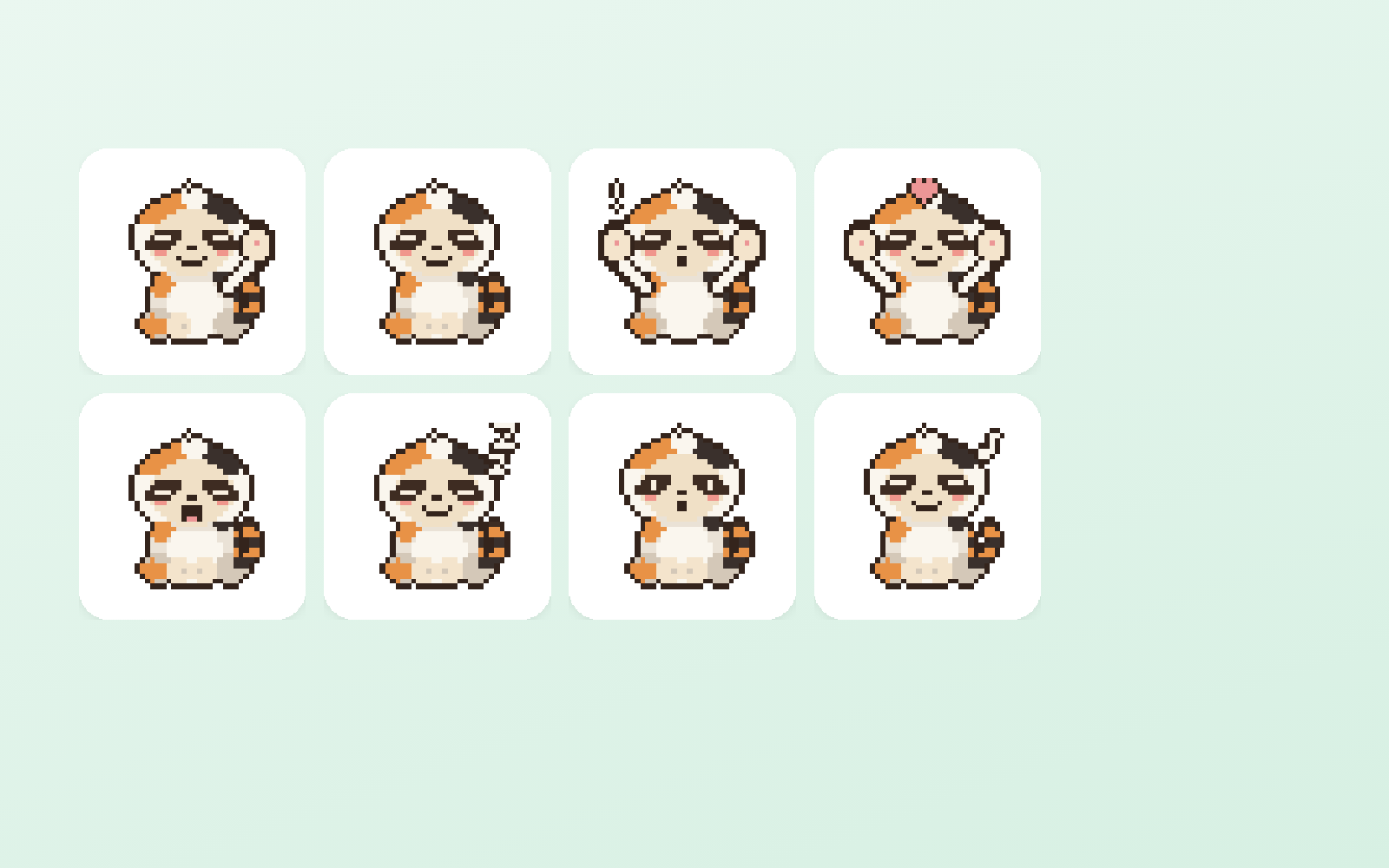
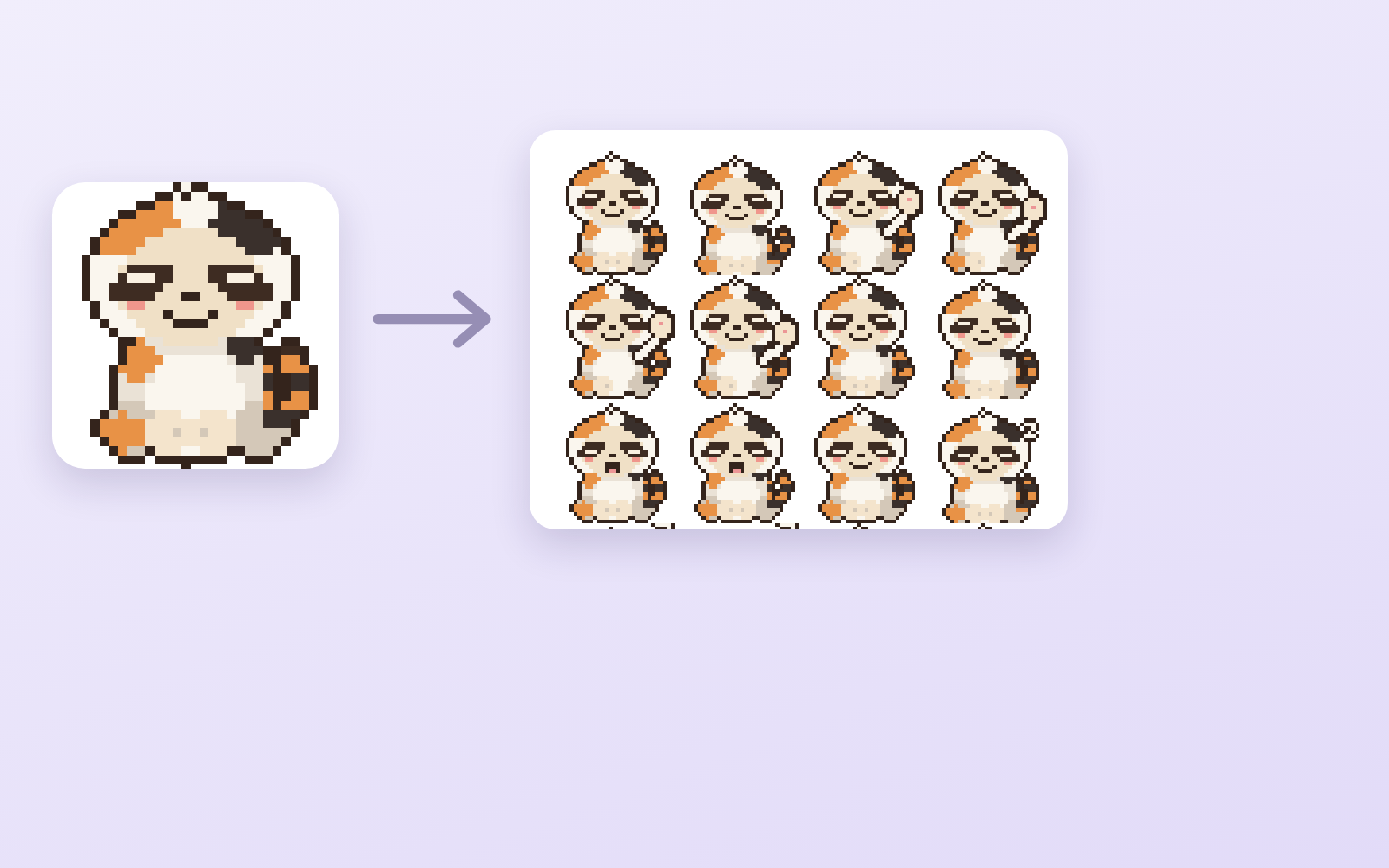
Pixel Motion Kit is a kit for Claude Code and Codex. Hand it one drawing, get 16 animated frames. Free.
When this helps
You want to animate pixel art, but AI never returns anything usable
What it does
Builds a pixel-art sprite sheet from a character drawing. What image AI actually returns is a single image on a checkerboard, with neither real transparency nor consistent sizing no matter how you ask. This makes it genuinely transparent, cuts it into 16 frames and aligns the feet. Preview the motion in a browser, choose speed and frames, then export GIF, numbered PNGs and a transparent sheet.
The fixes baked into this kit
This kit has not been used for real work yet. Once the fixes found in the field are in, they show up here.
What's inside
The flow (art → sheet → fix → review → export)
A tool that turns the checkerboard into real transparency
A tool that aligns frames that drift
A screen to watch the motion and set speed
GIF, numbered PNG and transparent sheet export
Where image AI ignores your instructions, and how to fix it
File list (10)
tools/sheet.py (★the core: transparency, slicing, alignment and export in one pass)
tools/sheet.py --apply (re-export only, with the speed and frames you chose on screen)
tools/app.py + app.html (★the only screen: watch the motion and decide)
tools/gensheet.mjs (generate the sheet with a key — you can proceed without it)
tools/build-site.mjs / tools/deploy.sh (view it on a phone)
rules/FLOW.md (the order of the 5 stages)
rules/TONE.md (rules for pixel art and motion)
rules/PROMPTS.md (prompts you can paste as-is)
rules/CHECK.md (checks before you hand it over)
middleware.js / CLAUDE.md / KIT.md
The first three decisions
The character (existing art is fine)
The motion (combat by default)
Frame count (start with 4×4 = 16)
What you need
Extra costA way to produce artworkYou need character art. Your own image AI or existing illustrations both work.
Extra costA Gemini key (optional)Only if you want to hand over a drawing and have it run start to finish. ★Image generation needs a paid plan. You can get the same result without a key by pasting the prompts yourself.
No extra costPython (Pillow)If you do not have it, one line installs it: pip install Pillow
How to use
Just paste this into your AI.
I want to use the nice to have kit "Pixel Motion Kit". Follow https://nicetohave.app/en/g/Y3FEQLMA-•••••••••• and set it up.
Open the resulting folder in Claude Code or Codex (in VS Code, "Open Folder")
Type "start building with this kit". The instructions are inside (Claude Code reads CLAUDE.md, Codex reads AGENTS.md)
This route comes without Safe Rail, the guard that stops dangerous operations automatically. If you are building something that handles keys or personal data, use Claude Code with Safe Rail.
FAQ
What does Pixel Motion Kit do?
Builds a pixel-art sprite sheet from a character drawing. What image AI actually returns is a single image on a checkerboard, with neither real transparency nor consistent sizing no matter how you ask. This makes it genuinely transparent, cuts it into 16 frames and aligns the feet. Preview the motion in a browser, choose speed and frames, then export GIF, numbered PNGs and a transparent sheet.
Which AI tools does it work with?
Claude Code and Codex. Copy the one line on the kit page and paste it into your AI; it pulls in the kit and starts (copying needs a GitHub or Google sign-in).
Does it cost anything?
The kit is free. A way to produce artwork, A Gemini key (optional) may cost extra. The AI tool itself is billed under your own plan.
What do I decide first?
Three things: The character (existing art is fine); The motion (combat by default); Frame count (start with 4×4 = 16). The AI asks them one at a time.
Does it handle personal data?
No.
Reviews
Used it? Leave a word
A thank-you, or show off what you made. It goes to the maker.
The flow (art → sheet → fix → review → export)A tool that turns the checkerboard into real transparencyA tool that aligns frames that driftA screen to watch the motion and set speedGIF, numbered PNG and transparent sheet exportWhere image AI ignores your instructions, and how to fix it
Property Flyer Kit is a kit for Claude Code and Codex. Drop in photos and the property flyer is done. coming soon.
When this helps
You rebuild every property flyer from scratch
What it does
Enter your company details and colours once. After that you only add the property photos and details. Every flyer comes out in the same format, ready to print.
The fixes baked into this kit
This kit has not been used for real work yet. Once the fixes found in the field are in, they show up here.
What's inside
Company details template
Property details template
Photo layout
Print-ready PDF
What you need
No extra costNo extra subscriptionThis alone gets you from building the flyer to printing it.
How to use
Not ready yet. Once it is published, the line to paste appears here.
Video Editing Kit is a kit for Claude Code and Codex. One recording in, a full cut and a short out. coming soon.
When this helps
Editing eats so much time that you cannot keep publishing
What it does
Feed in your footage; it tightens the pauses and adds subtitles, then exports a vertical short from the same material. You can still adjust the details by hand.
The fixes baked into this kit
This kit has not been used for real work yet. Once the fixes found in the field are in, they show up here.
What's inside
Tighten pauses
Add subtitles
Export shorts
What you need
Extra costA transcription AIUsed to build subtitles. You pay for the minutes you transcribe.
How to use
Not ready yet. Once it is published, the line to paste appears here.
Delegate-to-AI Kit is a kit for Claude Code and Codex. Hand one defined task to an AI. coming soon.
When this helps
You want AI to do work, but cannot tell what to hand over first
What it does
Not "all of accounting" — a pattern for handing over exactly one task. You decide up front what goes in and what comes back, so you can actually check the result.
The fixes baked into this kit
This kit has not been used for real work yet. Once the fixes found in the field are in, they show up here.
What's inside
How to choose the task
What to hand over
How to check the result
What you need
No extra costDepends what you handleIf customer data or money is involved, it goes through a security review before going live.
How to use
Not ready yet. Once it is published, the line to paste appears here.
Instagram Autopost Kit is a kit for Claude Code and Codex. Swipe-worthy carousels, posted automatically when you schedule them. coming soon.
When this helps
You want to keep Instagram going, but never have time to make and post
What it does
Decide who you are talking to and what to say, and the AI makes carousels people want to swipe through (a few images plus a caption). Only the posts you give a date and time to go out, automatically, through Instagram's official API. They post even with your computer closed.
The fixes baked into this kit
This kit has not been used for real work yet. Once the fixes found in the field are in, they show up here.
What's inside
Deciding the content (who, what)
Carousel templates and export
Proofreading the text
Scheduled posting via the official API
Automatic key renewal
What you need
No extra costAn Instagram professional accountBusiness or Creator. Switching is free. You create one Meta developer app (the AI walks you through it).
No extra costGitHub (free)Used to post on schedule even with your computer closed. The free tier is enough.
No extra costSomewhere to host the imagesInstagram fetches the images, so they need a public home. Vercel's free tier is enough.
Extra costGemini API, if the AI makes your photosPaid. You can also go without photos. Posts that use AI-made photos are labelled as such.
How to use
Not ready yet. Once it is published, the line to paste appears here.
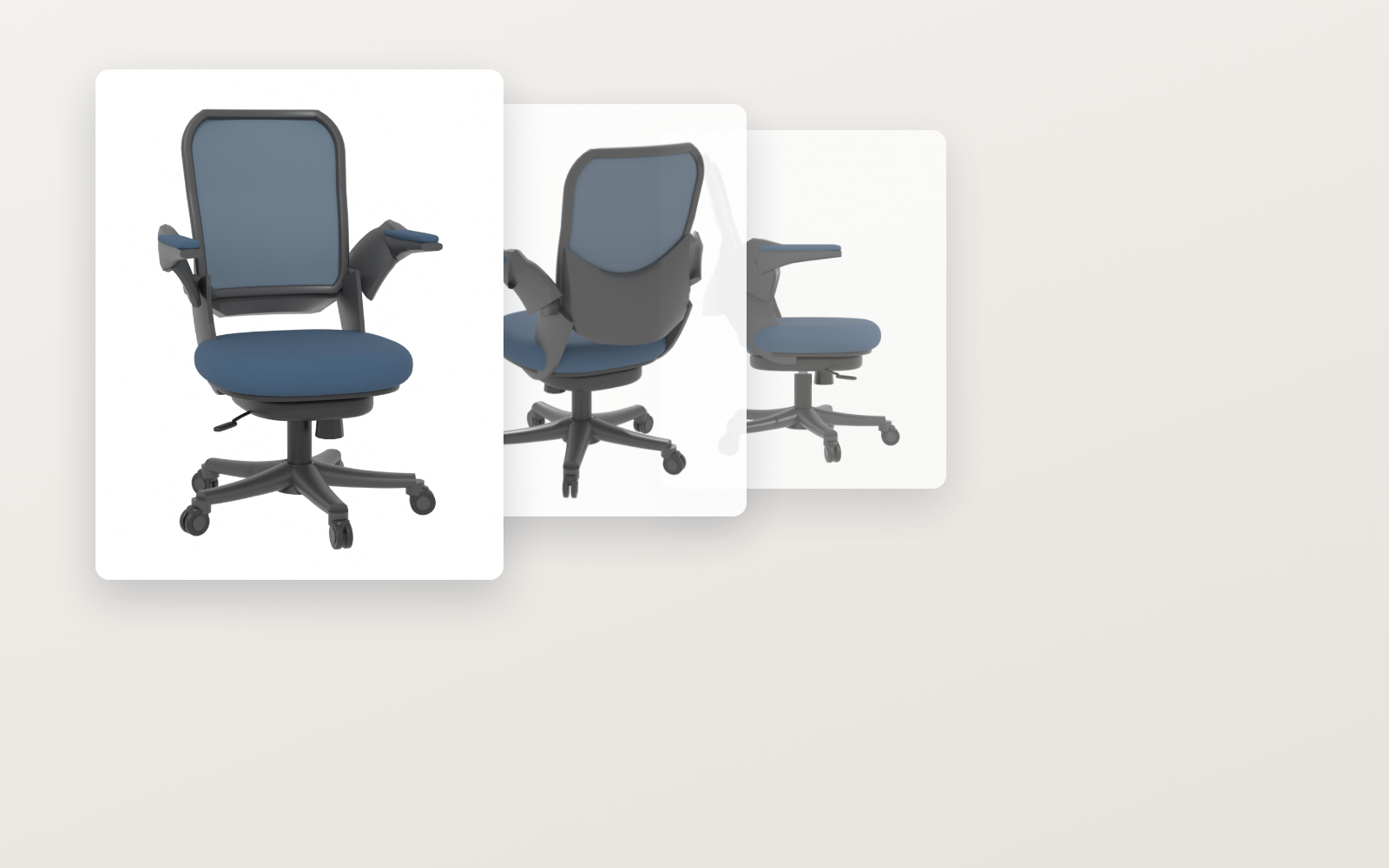
Furniture-to-3D Kit is a kit for Claude Code and Codex. Spec drawings and product photos into an AR-ready 3D model. Free.
When this helps
You want to show furniture in AR, but outsourcing each model costs ¥10,000
What it does
Give it a furniture product page: it builds true-to-size geometry from the spec drawing, applies colour and pattern from the product photos, and exports a .glb you can put into AR. Deviation from the target is reported in millimetres and overlap with the photo as a number, so you can judge by eye whether it is good enough to ship. How faces not visible in the photos were filled in is always shown as an image. Colour and size variants of the same shape come out by swapping numbers.
The fixes baked into this kit
This kit has not been used for real work yet. Once the fixes found in the field are in, they show up here.
Open the resulting folder in Claude Code or Codex (in VS Code, "Open Folder")
Type "start building with this kit". The instructions are inside (Claude Code reads CLAUDE.md, Codex reads AGENTS.md)
This route comes without Safe Rail, the guard that stops dangerous operations automatically. If you are building something that handles keys or personal data, use Claude Code with Safe Rail.
FAQ
What does Furniture-to-3D Kit do?
Give it a furniture product page: it builds true-to-size geometry from the spec drawing, applies colour and pattern from the product photos, and exports a .glb you can put into AR. Deviation from the target is reported in millimetres and overlap with the photo as a number, so you can judge by eye whether it is good enough to ship. How faces not visible in the photos were filled in is always shown as an image. Colour and size variants of the same shape come out by swapping numbers.
Which AI tools does it work with?
Claude Code and Codex. Copy the one line on the kit page and paste it into your AI; it pulls in the kit and starts (copying needs a GitHub or Google sign-in).
Does it cost anything?
The kit is free. An AR viewing service (optional) may cost extra. The AI tool itself is billed under your own plan.
What do I decide first?
Three things: Which product (link to the product page); Colour (when there are variants); Height (for adjustable furniture, the lowest position). The AI asks them one at a time.
Does it handle personal data?
No.
Reviews
Used it? Leave a word
A thank-you, or show off what you made. It goes to the maker.
Not needed (no personal data. ★It is built so that photos of people or rooms are never used)
What's inside
The flow (collect → choose → build → align → texture → export)A tool that collects and sorts images from a product pageA tool that builds geometry to the spec (office chairs for now)A tool that aligns model to photo and scores the overlapA tool that applies colour from photos and fills unseen facesWhat AR (USDZ) conversion silently drops, and how to avoid itPre-ship checks (real size, floor, origin, glTF spec)
YouTube Game Kit
Bring your game up to YouTube's requirements, all the way to applying
YouTube Game Kit is a kit for Claude Code and Codex. Bring your game up to YouTube's requirements, all the way to applying. It includes 8 fixes for pitfalls the maker hit in real work. Free.
When this helps
You want to ship a game on YouTube, but you can't tell what it has to meet
What it does
Takes a game made in Unity, makes it run to the requirements of YouTube Playables, and goes as far as sending the application form. It wires up the load signal, pause, mute, save and score, then measures whether each requirement is met with tools (numbers and ✓/✗, not "it looks like it works"). A sample game is included, so you can run that first and then turn it into your own. ★Playables is invite-only for now. You can apply, but YouTube decides whether it goes live.
The fixes baked into this kit
★Pause, mute and save-load signals never reach the gameGoogle's official component hard-codes where it sends signals: an object named "YTGameWrapper". Attach it to an object with any other name and the game keeps running normally, but pause doesn't stop it, mute is ignored and saves never load. The kit fixes the name and raises an error if it differs.
★Without writing any code, the game calls Unity's servers, breaks the rules and writes forbidden storageUnity silently adds analytics and purchasing packages to new projects. Just having them makes the game contact Unity's servers on startup, get blocked four times by YouTube's restrictions (CSP), and write PlayerPrefs to the browser even though the game never uses them. The kit includes a tool to remove them; removing them brought violations to 0 and halved the initial bundle.
★The 512MB memory limit counts all of Unity's memory. Works locally, crashes on iPhoneThe "512MB JS heap" requirement counts the game's whole Unity memory. The commonly watched number showed 9MB while 1.9GB was in use, so you can't notice, and Unity's default limit is 2048MB. Even lowering it to 512 went over. The kit pins it at 448 and includes a tool that measures it the same way the requirement does. When it crashes, no message appears on screen.
★Setting Time.timeScale = 0 on pause doesn't stop the gameOnly part of it stops; per-frame updates, coroutines and audio keep running. On top of that, Unity always builds in a render loop that has no way to stop it. The kit includes a web template where pause really stops everything, and a tool that counts from outside whether it stopped.
Saving reports "success" even when it fails (official component)The official save function always returns 0 (success), even on failure, and logs nothing to the console. The component's comment says the opposite, "non-zero means failure". The kit replaces it with a component that reports whether the save worked.
With Unity's standard web template, the startup signal passes but every other signal is droppedThe official component assumes variables that exist only in Google's own template. Build with the standard template and the startup check looks fine, but pause and every other signal fail with errors. The kit pins the template and checks it with a tool.
Depending on how it's served, the game stays black and never startsUnity's compressed builds can't be read unless the server adds a specific header. YouTube doesn't publish whether its hosting adds it, so the kit uses settings that start either way, and tests by serving without the header.
Unity Hub says "installed successfully" when only half of it is installedThe free-space check only looked at the download size, so it stopped halfway and still reported success. Windows' confirmation prompt also fails the install if not clicked within two minutes, and if Hub is left running in the background, reinstalling fails within seconds. The kit includes a tool that checks before and after installing, and steps for when to click.
What's inside
The flow (install → build → wire up → measure → ship → apply)
Tools that measure whether you meet the requirements (size, startup speed, memory, restriction violations)
A template where pause really stops the game (the official one does not)
A tool that removes packages Unity adds on its own
How to install Unity and pin the version (with a check that catches half-finished installs)
How to answer the application form
What you don't need to worry about, and what is still unknown (written honestly)
File list (13)
unity/Assets/WebGLTemplates/… (★a web template where pause really stops the game)
unity/Assets/Scripts/YTGameSDK/… (a component that reports save results, and the signal receiver)
unity/Assets/Editor/PlayablesBuild.cs (reapplies the recommended settings on every build)
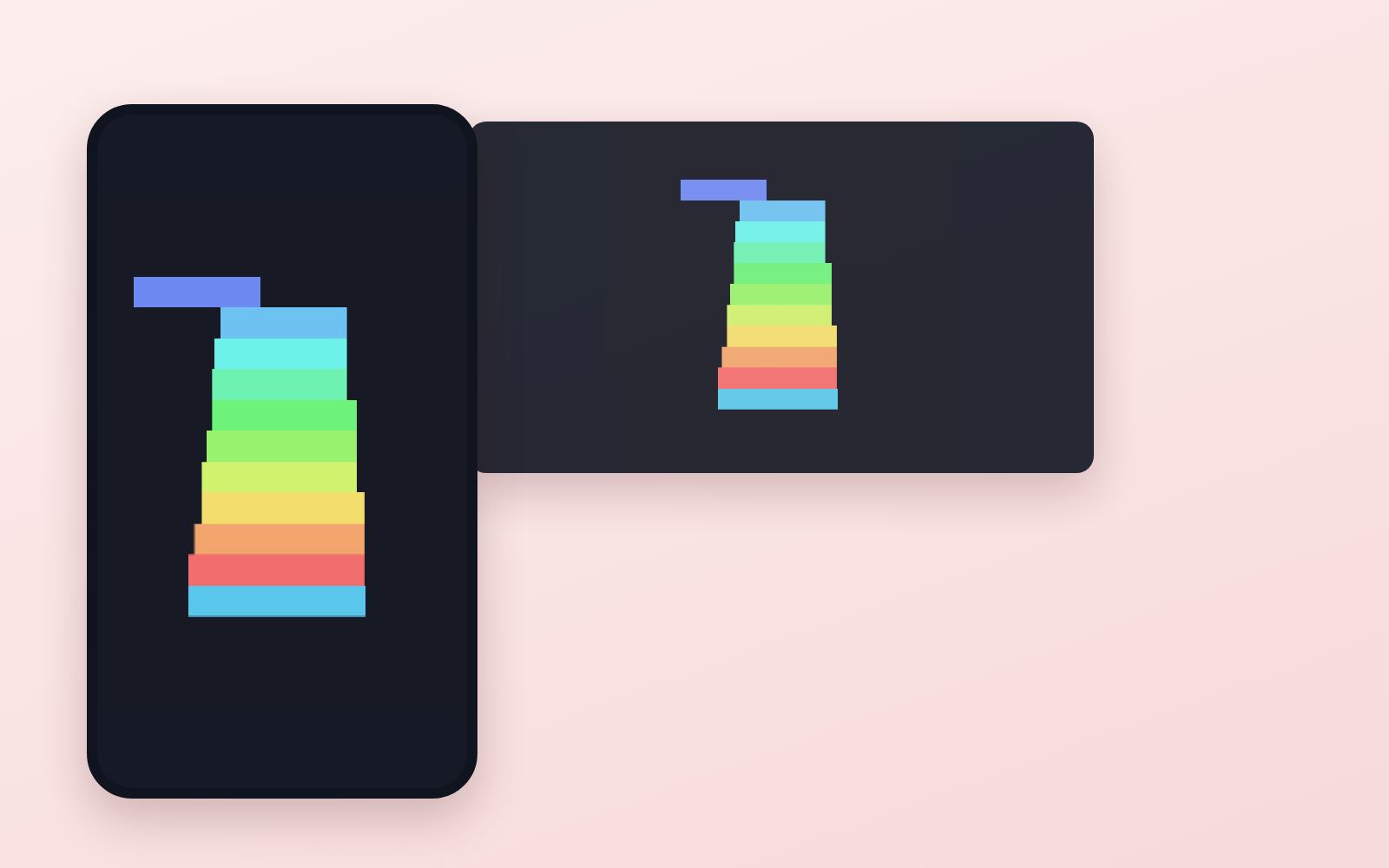
unity/Assets/Scripts/Sample/StackGame.cs (the sample game, Stack)
tools/measure.mjs (★measures every requirement in one run)
tools/pausecheck.mjs (counts from outside whether pause really stopped the game)
tools/check-project.mjs (checks for package creep, settings and forbidden storage)
tools/check-install.mjs (finds a half-installed Unity)
tools/build-webgl.ps1 (stops the build when disk space runs low)
tools/filmstrip.mjs (captures the screen the moment each signal fires)
tools/prepare-deploy.mjs (applies YouTube's restrictions and prepares the build for hosting)
rules/FLOW.md, CHECK.md, TONE.md, PROMPTS.md
CLAUDE.md / KIT.md
The first three decisions
The game itself (run the sample, Stack, first)
Whose name it goes under (as an individual, company name and country are N/A on the form)
Where the playable build lives (Vercel, free)
What you need
No extra costUnity (free)Installs 6.3 LTS (the AI walks you through it). You sign in to Unity once.
No extra costWindows★Some tools are Windows-only. Not tested on Mac.
No extra cost20GB of free disk spaceUnity itself takes about 12GB.
No extra costSomewhere to host the playable buildVercel's free tier is enough. The application needs a public link.
How to use
Just paste this into your AI.
I want to use the nice to have kit "YouTube Game Kit". Follow https://nicetohave.app/en/g/86J46ZZ4-•••••••••• and set it up.
Open the resulting folder in Claude Code or Codex (in VS Code, "Open Folder")
Type "start building with this kit". The instructions are inside (Claude Code reads CLAUDE.md, Codex reads AGENTS.md)
This route comes without Safe Rail, the guard that stops dangerous operations automatically. If you are building something that handles keys or personal data, use Claude Code with Safe Rail.
FAQ
What does YouTube Game Kit do?
Takes a game made in Unity, makes it run to the requirements of YouTube Playables, and goes as far as sending the application form. It wires up the load signal, pause, mute, save and score, then measures whether each requirement is met with tools (numbers and ✓/✗, not "it looks like it works"). A sample game is included, so you can run that first and then turn it into your own. ★Playables is invite-only for now. You can apply, but YouTube decides whether it goes live.
Which AI tools does it work with?
Claude Code and Codex. Copy the one line on the kit page and paste it into your AI; it pulls in the kit and starts (copying needs a GitHub or Google sign-in).
Does it cost anything?
The kit is free. Nothing else in the kit costs extra. The AI tool itself is billed under your own plan.
How is this different from just asking an AI?
It already contains the fixes for pitfalls the maker hit in real work: "Pause, mute and save-load signals never reach the game", "Without writing any code, the game calls Unity's servers, breaks the rules and writes forbidden storage", "The 512MB memory limit counts all of Unity's memory. Works locally, crashes on iPhone", "Setting Time.timeScale = 0 on pause doesn't stop the game", "Saving reports "success" even when it fails (official component)", "With Unity's standard web template, the startup signal passes but every other signal is dropped", "Depending on how it's served, the game stays black and never starts", "Unity Hub says "installed successfully" when only half of it is installed".
What do I decide first?
Three things: The game itself (run the sample, Stack, first); Whose name it goes under (as an individual, company name and country are N/A on the form); Where the playable build lives (Vercel, free). The AI asks them one at a time.
Does it handle personal data?
No.
Reviews
Used it? Leave a word
A thank-you, or show off what you made. It goes to the maker.
The flow (install → build → wire up → measure → ship → apply)Tools that measure whether you meet the requirements (size, startup speed, memory, restriction violations)A template where pause really stops the game (the official one does not)A tool that removes packages Unity adds on its ownHow to install Unity and pin the version (with a check that catches half-finished installs)How to answer the application formWhat you don't need to worry about, and what is still unknown (written honestly)
Pet Naming Kit
Turn photos and info into name candidates, then decide by saying them aloud

Pet Naming Kit is a kit for Claude Code and Codex. Turn photos and info into name candidates, then decide by saying them aloud. It includes 3 fixes for pitfalls the maker hit in real work. Free.
When this helps
You want AI to name your pet, but it just gives similar suggestions and assumes personality from a photo
What it does
From a pet's photo and/or description, this widens the pool of name candidates. It first separates what's directly visible in the photo from what the owner has stated (personality, age, stories), then generates candidates along four directions: sound, looks, meaning, and left-field ideas. It listens to your like/dislike reactions and feeds them into the next round, and mechanically checks candidates against existing family names and words you want to avoid. Once narrowed to 2-5 candidates, you say each one aloud in a call test, so everyday callability - not just meaning or looks - can be the final deciding factor.
The fixes baked into this kit
Couldn't hand over a photo directlyIt only assumed you'd describe the look in text, so photo-only, text-only, and photo+text modes were added.
It started assuming personality from the photoThere was no separate handling for photo-capable vs. text-only environments, so observed image facts were separated from owner-provided info and associations, with a rule against asserting personality, breed, or age from a photo.
Meaning alone was about to decide the nameCallability was only judged from the text impression, so a mandatory call test was added once candidates are narrowed to 2-5, where the owner says each one aloud.
What's inside
The naming flow (sort info → widen candidates → narrow down → decide with a call test)
A method to separate what's visible in the photo from what the owner stated
A way to widen candidates along four directions: sound, looks, meaning, left-field ideas
A system that picks up common traits from your like/dislike reactions and feeds them into the next round
A tool that mechanically checks candidates against existing family names and words to avoid
A final call test where you say each name aloud yourself to check callability
Ways to ask when you're stuck (can't articulate preferences, too many candidates, etc.)
File list (15)
AGENTS.md
CLAUDE.md
KIT.md
NOTES.md
examples/candidates.json
examples/profile.json
kit-spec.json
rules/CALL_TEST.md
rules/CHECK.md
rules/FLOW.md
rules/PROMPTS.md
rules/SPEC.md
rules/TONE.md
tools/check.mjs
tools/name-audit.mjs
The first three decisions
Your pet's info (attach a photo if you have one; photo alone is fine)
Naming direction (cute, elegant, etc. If unsure, ask for 3 directions)
Things to avoid / existing names (say "none" if there aren't any)
What you need
No extra costAn AI environment that can read this folderClaude Code, Codex, etc.
No extra costWhatever you know about your petA photo alone or just the species is enough to start; photo + description is recommended
No extra costNode.jsOnly needed to run tools/name-audit.mjs and tools/check.mjs
How to use
Just paste this into your AI.
I want to use the nice to have kit "Pet Naming Kit". Follow https://nicetohave.app/en/g/8TGTWMAG-•••••••••• and set it up.
Open the resulting folder in Claude Code or Codex (in VS Code, "Open Folder")
Type "start building with this kit". The instructions are inside (Claude Code reads CLAUDE.md, Codex reads AGENTS.md)
This route comes without Safe Rail, the guard that stops dangerous operations automatically. If you are building something that handles keys or personal data, use Claude Code with Safe Rail.
FAQ
What does Pet Naming Kit do?
From a pet's photo and/or description, this widens the pool of name candidates. It first separates what's directly visible in the photo from what the owner has stated (personality, age, stories), then generates candidates along four directions: sound, looks, meaning, and left-field ideas. It listens to your like/dislike reactions and feeds them into the next round, and mechanically checks candidates against existing family names and words you want to avoid. Once narrowed to 2-5 candidates, you say each one aloud in a call test, so everyday callability - not just meaning or looks - can be the final deciding factor.
Which AI tools does it work with?
Claude Code and Codex. Copy the one line on the kit page and paste it into your AI; it pulls in the kit and starts (copying needs a GitHub or Google sign-in).
Does it cost anything?
The kit is free. Nothing else in the kit costs extra. The AI tool itself is billed under your own plan.
How is this different from just asking an AI?
It already contains the fixes for pitfalls the maker hit in real work: "Couldn't hand over a photo directly", "It started assuming personality from the photo", "Meaning alone was about to decide the name".
What do I decide first?
Three things: Your pet's info (attach a photo if you have one; photo alone is fine); Naming direction (cute, elegant, etc. If unsure, ask for 3 directions); Things to avoid / existing names (say "none" if there aren't any). The AI asks them one at a time.
Does it handle personal data?
No.
Reviews
Used it? Leave a word
A thank-you, or show off what you made. It goes to the maker.
The naming flow (sort info → widen candidates → narrow down → decide with a call test)A method to separate what's visible in the photo from what the owner statedA way to widen candidates along four directions: sound, looks, meaning, left-field ideasA system that picks up common traits from your like/dislike reactions and feeds them into the next roundA tool that mechanically checks candidates against existing family names and words to avoidA final call test where you say each name aloud yourself to check callabilityWays to ask when you're stuck (can't articulate preferences, too many candidates, etc.)