Session Status Marks Kit is a vibe coding kit for Claude Code and Codex. Puts a status mark at the start of each session's name. It includes 5 fixes for pitfalls the maker hit in real work. Free.
When this helps
You run many Claude sessions at once and lose track of which ones are waiting on you
What it does
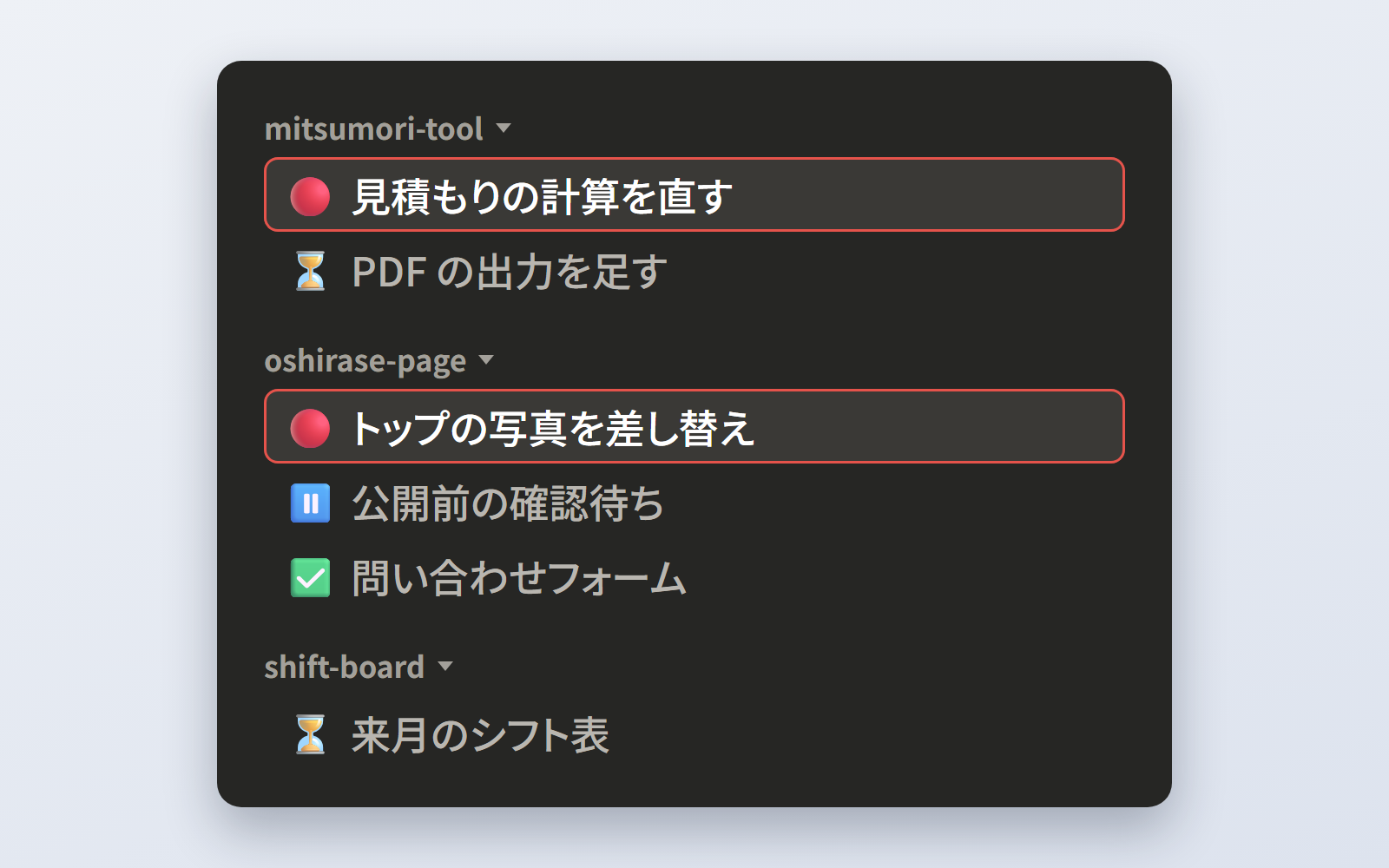
In the Claude desktop app, each session puts a mark at the start of its own name: ⏳ working, 🔴 waiting on you, ⏸ on hold, ✅ done. The sidebar stays grouped by project, and a glance at the start of each name tells you which one to open. Only 🔴 needs opening: replies, decisions and reviews all share 🔴, so the AI doesn't mix them up. There is no polling — each session's AI updates its own mark at the end of its reply, so it shows up at once and costs nothing extra. It installs a single rule file for Claude on this PC and removes with one command. You can change the marks to anything you like.
The fixes baked into this kit
- A confirmation prompt appeared on a session you renamed yourselfAfter you rename a session in the sidebar, the app asks for confirmation the next time the AI sets a mark. It only asks once — after you allow it, it never asks again — so the rule now has you ask the AI to rename instead.
- A polling job couldn't rename some sessionsChecking every session every 15 minutes can't answer the confirmation prompt, since nobody is watching, so it can't touch sessions you named yourself. It also uses quota and lags up to 15 minutes. Each session now sets its own mark.
- 'Waiting on you' and 'please review' got mixed upBoth mean the same thing to you — open it — but keeping them apart made the AI unsure which to use. They are now one mark, 🔴, so there is only one kind of session to open.
- The install command ran on Windows but nothing was installedPowerShell didn't expand '~' (short for your home folder), so the tool was never found. Commands are now given with the full path.
- Some sessions kept using the old marks after reinstallingA session reads the rule only when it starts, so ones already open kept the old rule. You're now told that open sessions keep the old marks, and old marks are replaced too.
What's inside
- The rule that tells each session's AI what the marks mean and how to set them
- A tool to install it for all of Claude on this PC, and to remove it
- How to pick new marks (including symbols that turn black-and-white on Windows)
- How to check it after installing
- What we ran into in real use (the confirmation prompt, installed but no marks, when ⏳ stays)
File list (10)
- AGENTS.md
- CLAUDE.md
- KIT.md
- NOTES.md
- rules/CHECK.md
- rules/FLOW.md
- rules/PROMPTS.md
- rules/TONE.md
- rules/session-marks.md
- tools/install.mjs
The first three decisions
- The marks (default: ⏳ working / 🔴 waiting on you / ⏸ on hold / ✅ done)
- Where it applies (default: every session on this PC)
- Sessions already open (default: leave them; marks start with new sessions)
What you need
- No extra costThe Claude desktop app (Code tab)Doesn't work in the terminal, VS Code or Codex — only the desktop app has the tool that renames sessions
- No extra costNode.jsTo run the install tool. Nothing else to install
How to use
Just paste this into your AI.
I want to use the nice to have kit "Session Status Marks Kit". Follow https://nicetohave.app/en/g/EX7BYGUB-•••••••••• and set it up.
Works the same in Claude Code or Codex.
Read what this tells your AI to do, before you paste it
If you would rather take the files yourself
Paste the line above and your AI fetches it. If your AI cannot fetch it, or you would rather download it yourself, start here.
- Unpack the zip you downloaded
- Open the resulting folder in Claude Code or Codex (in VS Code, "Open Folder")
- Type "start building with this kit". The instructions are inside (Claude Code reads
CLAUDE.md, Codex readsAGENTS.md)
Reviews
This is your kit. You can also see its reviews on your page.
No reviews yet. Be the first to say something.
Supporters
Once support opens, the people who backed this kit will be listed here.
- Publisher
 ohirutabeyo
- Published
- 2026/10/24
- Price
- Free
- Category
- Delegate work
- Personal data
- Not handled
- What's inside
More kits
 shuto-shinoda2026/10/21
 License & Qualification Expiry KitFree
Turn a staff license ledger into legally accurate deadlines and notices
shuto-shinoda2026/10/21
License & Qualification Expiry KitFree
Turn a staff license ledger into legally accurate deadlines and notices
shuto-shinoda2026/10/21
 IT Asset Ledger KitFree
Builds a PC/phone ledger and tracks lending, collection, audits and disposal
shuto-shinoda2026/10/21
IT Asset Ledger KitFree
Builds a PC/phone ledger and tracks lending, collection, audits and disposal
shuto-shinoda2026/10/21