Make a kit
The steps you fixed in the field are somebody else's “nice to have”. Turn them into a kit and they run, as they are, inside that person's machine. Putting a kit on the shelf is free.
Start by pulling this in
Kit-Making Kit
Turn what you built into something the shelf can carry
Paste this line into your AI. Once it is in, say “start building with this kit”.
I want to use the nice to have kit "Kit-Making Kit". Follow https://nicetohave.app/en/g/92QSB6TQ-•••••••••• and set it up.
See what's inside Get it as a zip Read what it tells your AI to do
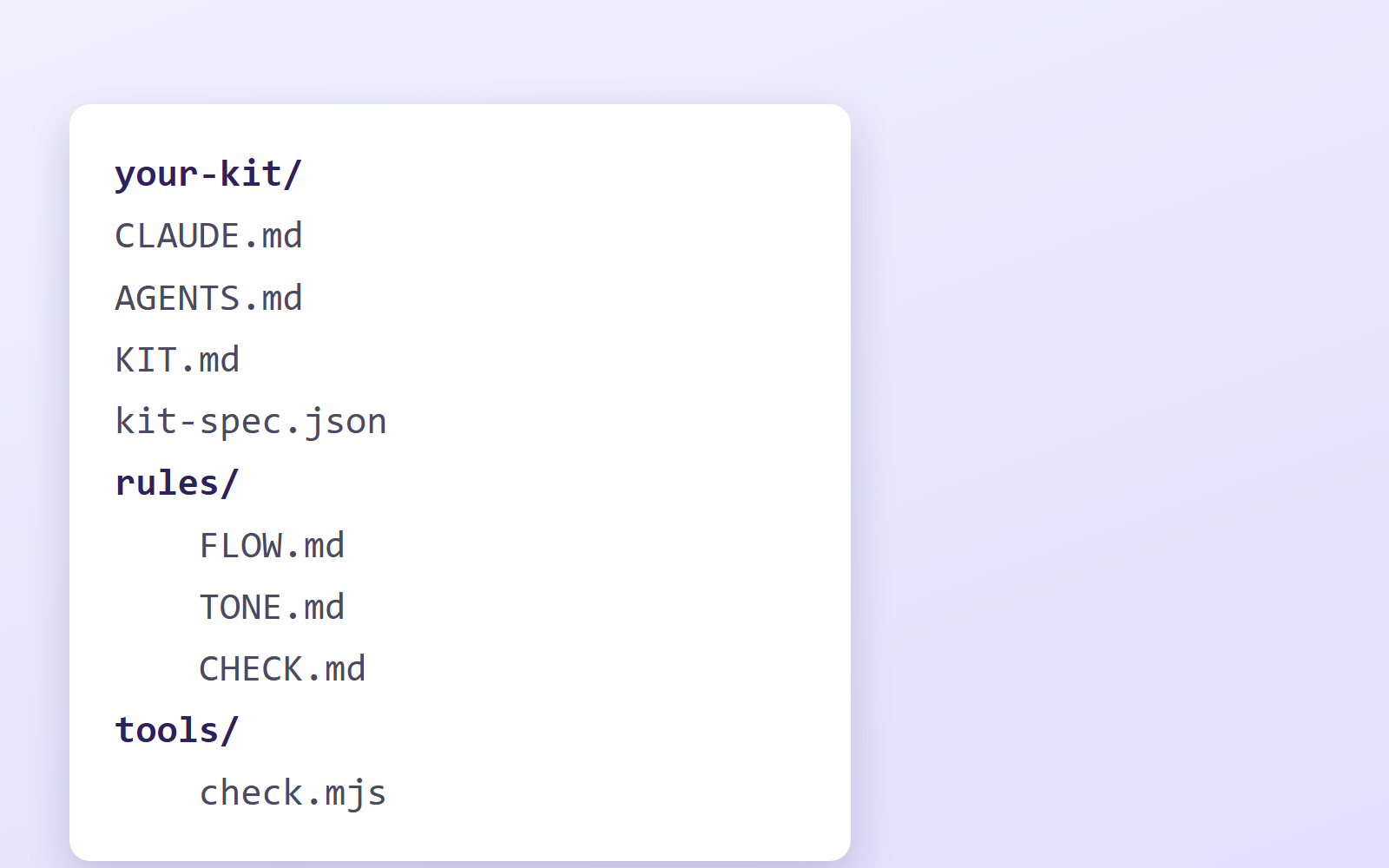
What a kit is
Not something to read. Something that gets executed on the user's own machine.
- Instructions for the AI (
CLAUDE.mdandrules/) - Tools that run (
tools/) - The first three decisions — the three questions that, once answered, let you start
What gets built stays with the person who used it. It does not come back to you.
What gets onto the shelf
Only things that meet all three.
- Faster than building from scratch
- More consistent than asking an AI yourself
- Contains something you cannot do without knowing it — a spec, a tool's quirks, a trap
★Things that were only built are not accepted. What you had to fix once you used it for real is the substance of the kit. For example: “0.25pt rules disappear over fax”, “image AI ignores transparency and hands back a checkerboard”.
Let your AI do the making
The steps are written out below, but your AI can read them instead of you. Pull in the Kit-Making Kit at the top of this page, say “start building with this kit”, and Claude Code or Codex will shape your current project into a kit, run the checks, and walk you to submission. It is a tool for makers, so it is not on the shelf itself.
★The spec — the shape of a kit, what gets onto the shelf, what the submission asks for — is inside
as kit-spec.json, in a form an AI reads. What follows is the version for people.
How to make one (4 steps)
- First, finish one real thing for your own work. Do not start from the kit.
What you actually used, got stuck on and fixed becomes the substance - Once it works, make a cleaned copy. Do not clean the original folder
(it holds real data and keys). Strip the following from the copy. Real customer data and photos / contact endpoints / keys (.env) / real names (replace with invented ones) - Give it the shape. With these four, it works as a kit
your-kit/
  CLAUDE.md   ← instructions for the AI, through asking the "first three"
  KIT.md      ← the explanation for the person using it
  rules/      ← how to proceed, design rules, pre-ship checks
  tools/      ← the tools that run
- Check it, then submit. Run the self-check below before you send it
★With Claude Code plus Safe Rail, saying “turn this into a kit” gets you help with steps 2–3 (making the cleaned copy, replacing real names with invented ones, and adding the rules).
Self-check before you send
- No keys (API keys, passwords) left inside
- No real customer data, photos or contact endpoints left inside
- Not redistributing other companies' logos, characters or paid assets
- If it handles personal data, whether sign-in and access limits are needed is written down
- It runs end to end on another machine, from that folder alone (nothing depends on files only you have)
- One image of the result is included as
shot.png(it becomes the shelf thumbnail: landscape, no text, up to 5MB. Without it, the card shows an abstract pattern)
About money
Putting a kit on the shelf is free. There is no cost to publish.
We are preparing “support” — a way for people who use a kit to send the maker something back. The money is received by us first, then transferred to the maker's bank account. To receive it you need to register your bank details on your page (only you and we can see them).
★We take no cut from support. Support is a thank-you (a donation), so none of it becomes our income.
Two fees for moving the money do come out of the maker's share, though:
- Payment fee: what the payment company keeps when a supporter pays by card and similar
- Bank transfer fee: what the bank charges when we send the money to your account
As of today support is not open at all, so no money is moving.
Submit
Just zip your kit folder and attach it (no need to put it on GitHub).
The zip is never made public: only we and the safety review see it, and the zip that passes review is exactly what goes on the shelf.
If you built it with the kit-making kit, tell your AI “prepare the submission” and it will check the kit and make the zip for you.
We review it and let you know whether it goes live. If you sign in with GitHub, no company name or contact details are needed.