Kit-Making Kit is a vibe coding kit for Claude Code and Codex. Turn what you built into something the shelf can carry. It includes 6 fixes for pitfalls the maker hit in real work. Free.
When this helps
You want to make what you built usable by other people, but do not know what to prepare
What it does
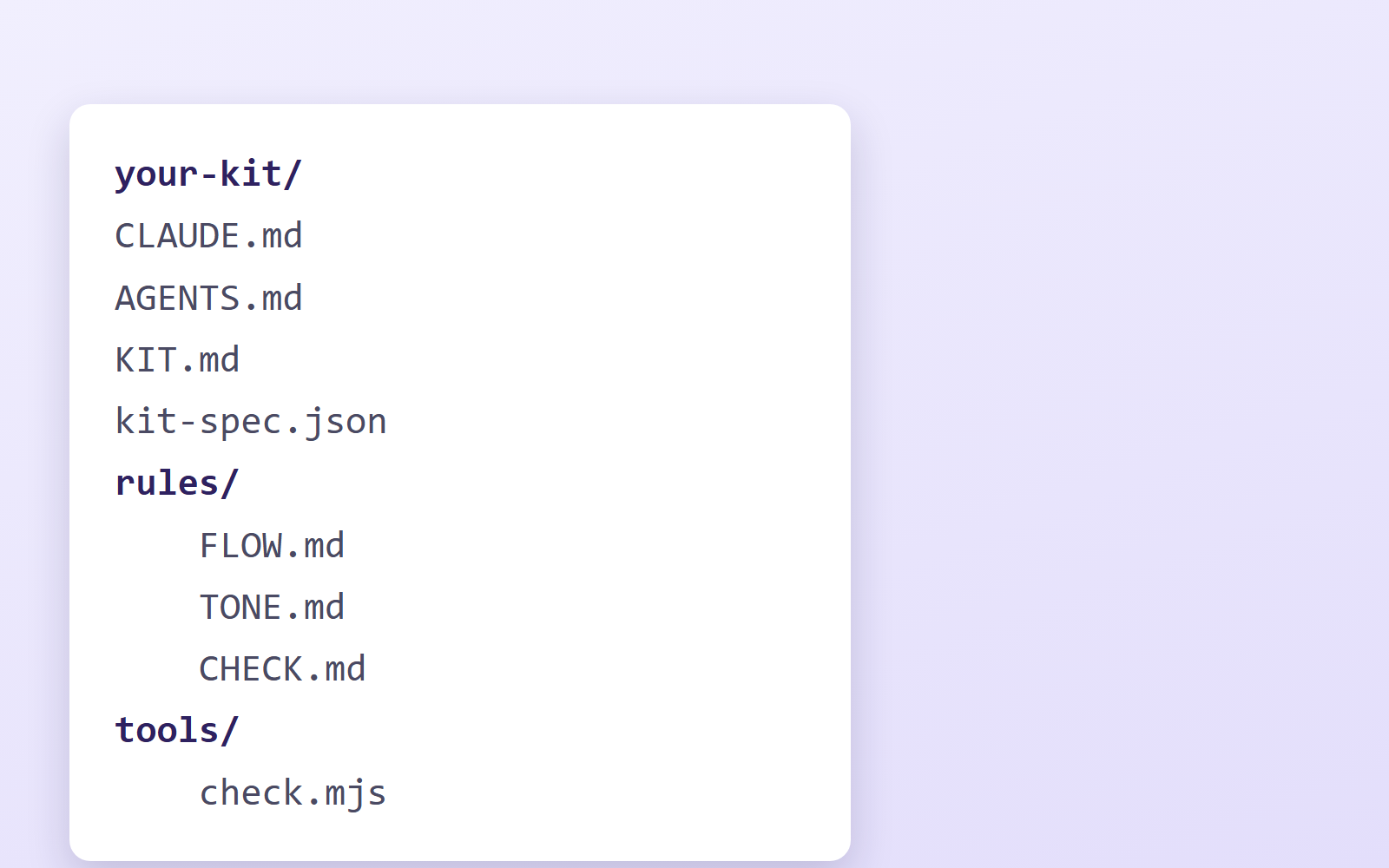
Turns something you built — or are still building — into a kit other people can use. It leaves your original folder alone, works on a cleaned copy, strips keys, real data and contact endpoints, and assembles the instructions for AI (CLAUDE.md, plus AGENTS.md for Codex) along with the rules for how to work. It runs an automatic check and walks you all the way to submitting. The kit spec lives in kit-spec.json in a machine-readable form, so your own AI reads it and drives the process.
The fixes baked into this kit
- "What did you do cleverly?" gets you nothingBecause the person does not think of it as clever. Ask "what tripped you up?" or "what happened the first time?" and it comes out. That difference is written into PROMPTS.md.
- Cleaning the original folder destroys real dataYou clean a copy. Delete .git too — keys you thought you removed are still in the history.
- Claude Code only reads CLAUDE.md; Codex only reads AGENTS.mdPut both doors in. Fix only one and behaviour changes depending on who uses it. The check looks for mismatches.
- The check tool reacts to its own examplesThe same goes for prose explaining what is forbidden (%USERPROFILE% and friends). The tool skips itself, and downgrades hits inside prose to something a human looks at rather than a hard stop.
- Works on the author's machine, breaks when shippedBecause it calls something that only exists locally. The flow makes you copy it to another folder and run it end to end there.
- Forgetting to remove the contact endpointEvery enquiry from every user lands on the author. This actually happened. The check looks for form, Slack and Apps Script endpoints.
What's inside
- The kit spec (kit-spec.json — the source of truth your AI reads)
- How to turn something you already have into a kit
- How to build new things so they are easy to turn into kits
- Cleaning rules (keys, real data, photos, contact endpoints)
- How to write CLAUDE.md and rules
- How to ask so people tell you what actually went wrong
- The automatic pre-submission check (node tools/check.mjs)
- A full set of templates you can use as-is
File list (12)
- kit-spec.json (★the shape of a kit, the bar, the submission fields. This is what the AI reads)
- CLAUDE.md / AGENTS.md (the doors for Claude Code and for Codex)
- rules/FLOW.md (the whole way through)
- rules/CONVERT.md (turning something you already have into a kit)
- rules/NEW.md (building something new)
- rules/CLEAN.md (cleaning)
- rules/TONE.md (how to write CLAUDE.md and rules)
- rules/PROMPTS.md (how to ask so people tell you)
- rules/CHECK.md (checks before you send)
- tools/check.mjs (the automatic check)
- templates/ (a full set of templates)
- KIT.md
The first three decisions
- Converting something you have, or starting fresh
- The kit's name, and what it does in one line
- What changes per user (= the first three decisions)
What you need
- No extra costClaude Code or CodexEither works. Both CLAUDE.md and AGENTS.md are included.
- No extra costNode.jsTo run the check tool. Nothing else to install.
- No extra costSomething you have actually used for real work★This is the substance. Things that were only built never make it onto the shelf.
How to use
Just paste this into your AI.
I want to use the nice to have kit "Kit-Making Kit". Follow https://nicetohave.app/en/g/92QSB6TQ-•••••••••• and set it up.
Works the same in Claude Code or Codex.
Read what this tells your AI to do, before you paste it
If you would rather take the files yourself
Paste the line above and your AI fetches it. If your AI cannot fetch it, or you would rather download it yourself, start here.
- Unpack the zip you downloaded
- Open the resulting folder in Claude Code or Codex (in VS Code, "Open Folder")
- Type "start building with this kit". The instructions are inside (Claude Code reads
CLAUDE.md, Codex readsAGENTS.md)
FAQ
- Do I need to put my kit on GitHub to submit it?
- No. You zip the kit and attach it to the submission form. The contents are not published; only the operators and reviewers see them. Don't put it in a public repository, because then anyone could take it without going through the shelf.
- Can I start with something I haven't built yet?
- You can, but first build one thing all the way through for your own work and actually use it. The places where you got stuck and fixed things are what the kit is made of. Jot down each snag in one line as you go, and those notes become the kit's list of fixes.
- How do I prepare the preview image for the shelf?
- Put one image of something you actually made with the kit in the kit's folder: landscape, up to 5 MB, no text. If the output can be captured on screen, the AI takes the shot; if it needs a photo, you'll be asked for one. Without it, the shelf shows a pattern generated from the name, and visitors can't tell what the kit does.
- Do I have to fix every "△" the check reports?
- Every "✗" must be fixed, but a "△" only flags something worth a look, and it's fine to leave it if it's sample content. Judge each one yourself. Machines can't tell who appears in a photo, whether a company name is real or whether the numbers are right, so a person checks those.
- What if I change the kit after submitting?
- Rebuild the zip. Review is done per zip, and the zip that passes review is exactly what goes on the shelf.
Reviews
This is your kit. You can also see its reviews on your page.
No reviews yet. Be the first to say something.
Supporters
Once support opens, the people who backed this kit will be listed here.
- Published
- 2026/09/13
- Price
- Free
- Category
- Make a kit
- Personal data
- Not handled
- Security review
- Not needed (no personal data)
- What's inside