LINE Sticker Kit is a kit for Claude Code and Codex. From artwork to a submittable sticker set (animated too). It includes 7 fixes for pitfalls the maker hit in real work. Free.
When this helps
You want to make LINE stickers but keep failing the spec
What it does
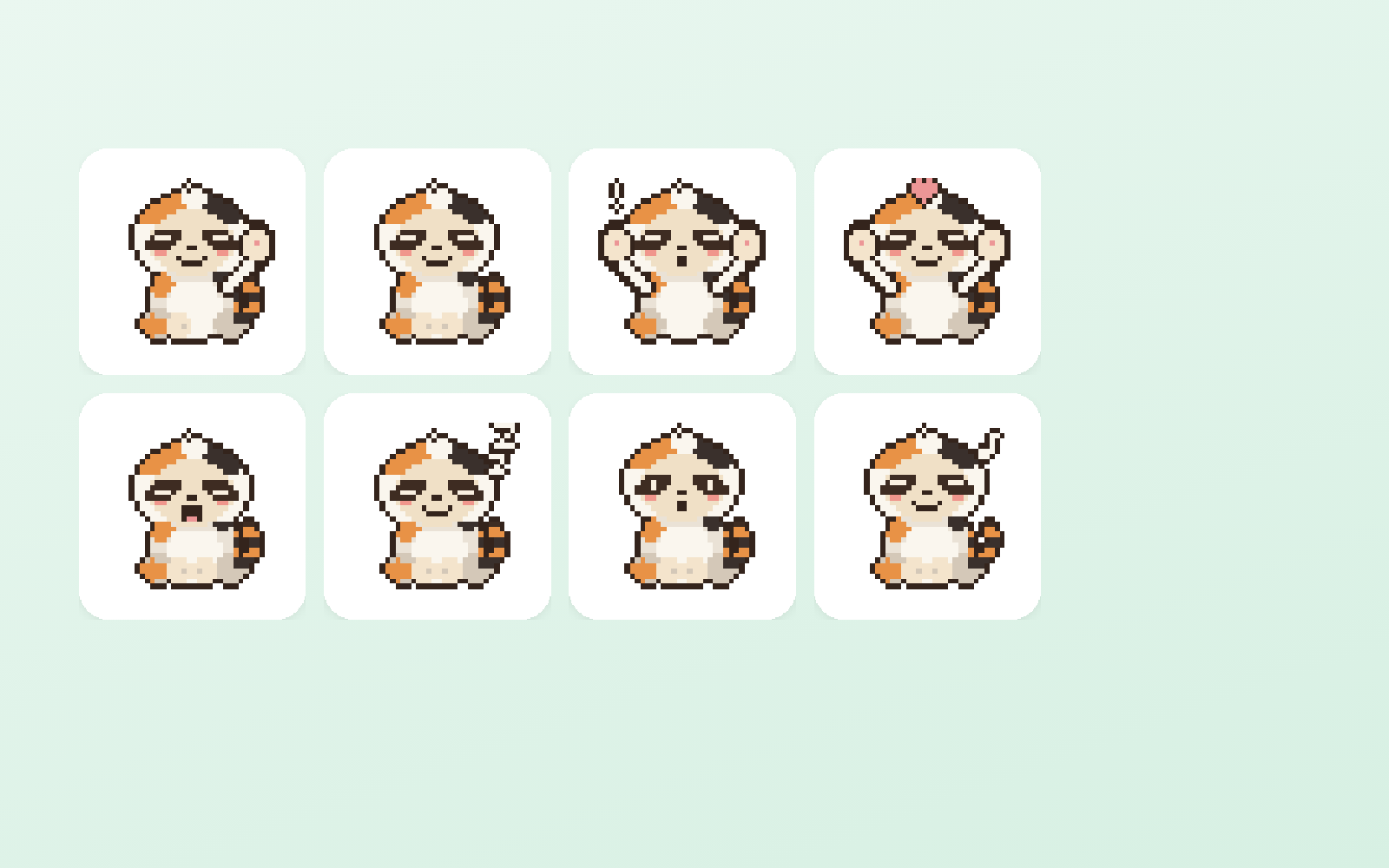
Turns artwork you already have into a LINE sticker set ready to submit. Size, padding, transparency, the main and tab dimensions — everything that gets you rejected is handled here. Animated stickers are supported too, and can be built from video.
The fixes baked into this kit
- ★Actually rejected with "the inside of the illustration is transparent"Key out the green background by colour and the greenish areas inside the character get removed too, leaving pinholes you cannot see by eye. This kit only removes green that connects to the outside edge, which kills that failure.
- Copyright is 50 characters, alphanumeric only — Japanese is rejectedOne of the places the form trips you up. Together with creator name (50), title (40) and description (160), the flow checks lengths before you type them in.
- Both dimensions must be even numbersThe 320×270px limit is well known; that odd numbers are rejected is not written down anywhere. The zip tool checks automatically.
- Animated stickers take no padding — the opposite of still onesCarry the still-sticker habit over and you get rejected. Without knowing it is reversed, you can resubmit forever without understanding why.
- Playback is 4 seconds including the loopMeasure a single pass and you will think you passed. The loop counts.
- Get 8 through first, then go to 24Submit 24 at once and a rejection tells you nothing about which one caused it. The flow gets one set of 8 through first.
- Payout details (bank account, tax) are registered separately from reviewPass review without them and you still cannot receive sales. It is on the submission checklist.
What's inside
- The flow (art → text → review → submit)
- Tools that force the spec
- A screen to look at results and pick
- Submission zip (main and tab included)
- Where the submission form trips people up
- Why reviews fail, and how to avoid it
File list (12)
- tools/app.py (★the only two screens: choose the motion / choose the stickers)
- tools/make.py (video → stickers: frames, green removal and APNG in one pass)
- tools/frames.py / cutout.py / apng.py (called inside make.py)
- tools/pack.py (the submission zip)
- tools/sticker.py (for still, non-animated stickers)
- tools/genchar.mjs (generate character art with a key — usually not needed)
- tools/deploy.sh (view the selection screen on a phone)
- rules/FLOW.md (the order of the 6 stages)
- rules/TONE.md (rules for the art and the motion)
- rules/PROMPTS.md (prompts you can paste as-is)
- rules/CHECK.md (checks before submitting)
- middleware.js / CLAUDE.md / KIT.md
The first three decisions
- The character
- How many (start with 8)
- Animated or still
What you need
- Extra costA way to produce artworkYou need character art. Your own image AI or existing illustrations both work.
- Extra costA video AI, if you want animated stickersNot needed for still stickers.
- No extra costA LINE Creators Market accountRequired to submit (the account itself is free).
How to use
Just paste this into your AI.
I want to use the nice to have kit "LINE Sticker Kit". Follow https://nicetohave.app/en/g/Y5KMQW22-•••••••••• and set it up.
Works the same in Claude Code or Codex. If you have Safe Rail (the guard that stops dangerous operations automatically), it fetches the kit for you.
Read what this tells your AI to do, before you paste it
If you would rather take the files yourself
Paste the line above and your AI fetches it. To download it yourself, start here.
- Unpack the zip you downloaded
- Open the resulting folder in Claude Code or Codex (in VS Code, "Open Folder")
- Type "start building with this kit". The instructions are inside (Claude Code reads
CLAUDE.md, Codex readsAGENTS.md)
This route comes without Safe Rail, the guard that stops dangerous operations automatically. If you are building something that handles keys or personal data, use Claude Code with Safe Rail.
FAQ
- What does LINE Sticker Kit do?
- Turns artwork you already have into a LINE sticker set ready to submit. Size, padding, transparency, the main and tab dimensions — everything that gets you rejected is handled here. Animated stickers are supported too, and can be built from video.
- Which AI tools does it work with?
- Claude Code and Codex. Copy the one line on the kit page and paste it into your AI; it pulls in the kit and starts (copying needs a GitHub or Google sign-in).
- Does it cost anything?
- The kit is free. A way to produce artwork, A video AI, if you want animated stickers may cost extra. The AI tool itself is billed under your own plan.
- How is this different from just asking an AI?
- It already contains the fixes for pitfalls the maker hit in real work: "Actually rejected with "the inside of the illustration is transparent"", "Copyright is 50 characters, alphanumeric only — Japanese is rejected", "Both dimensions must be even numbers", "Animated stickers take no padding — the opposite of still ones", "Playback is 4 seconds including the loop", "Get 8 through first, then go to 24", "Payout details (bank account, tax) are registered separately from review".
- What do I decide first?
- Three things: The character; How many (start with 8); Animated or still. The AI asks them one at a time.
- Does it handle personal data?
- No.
Reviews
This is your kit. You can also see its reviews on your page.
No reviews yet. Be the first to say something.
Supporters
Once support opens, the people who backed this kit will be listed here.
- Publisher
 ohirutabeyo
- Published
- 2026/08/30
- Price
- Free
- Category
- Video & stickers
- Personal data
- Not handled
- Security review
- Not needed (no personal data)
- What's inside
More kits
ohirutabeyo2026/09/11
 Pet Naming KitFree
Turn photos and info into name candidates, then decide by saying them aloud
Pet Naming KitFree
Turn photos and info into name candidates, then decide by saying them aloud
 sariqh2026/09/27
 YouTube Game KitFree
Bring your game up to YouTube's requirements, all the way to applying
ohirutabeyo2026/09/17
YouTube Game KitFree
Bring your game up to YouTube's requirements, all the way to applying
ohirutabeyo2026/09/17