Multilingual File Check Kit
Hand over the language files, get gaps and broken text flagged by language
Multilingual File Check Kit is a vibe coding kit for Claude Code and Codex. Hand over the language files, get gaps and broken text flagged by language. It includes 8 fixes for pitfalls the maker hit in real work. Free.
When this helps
You want to ship a multilingual app, but gaps and broken placeholders are hard to spot by opening the language files.
What it does
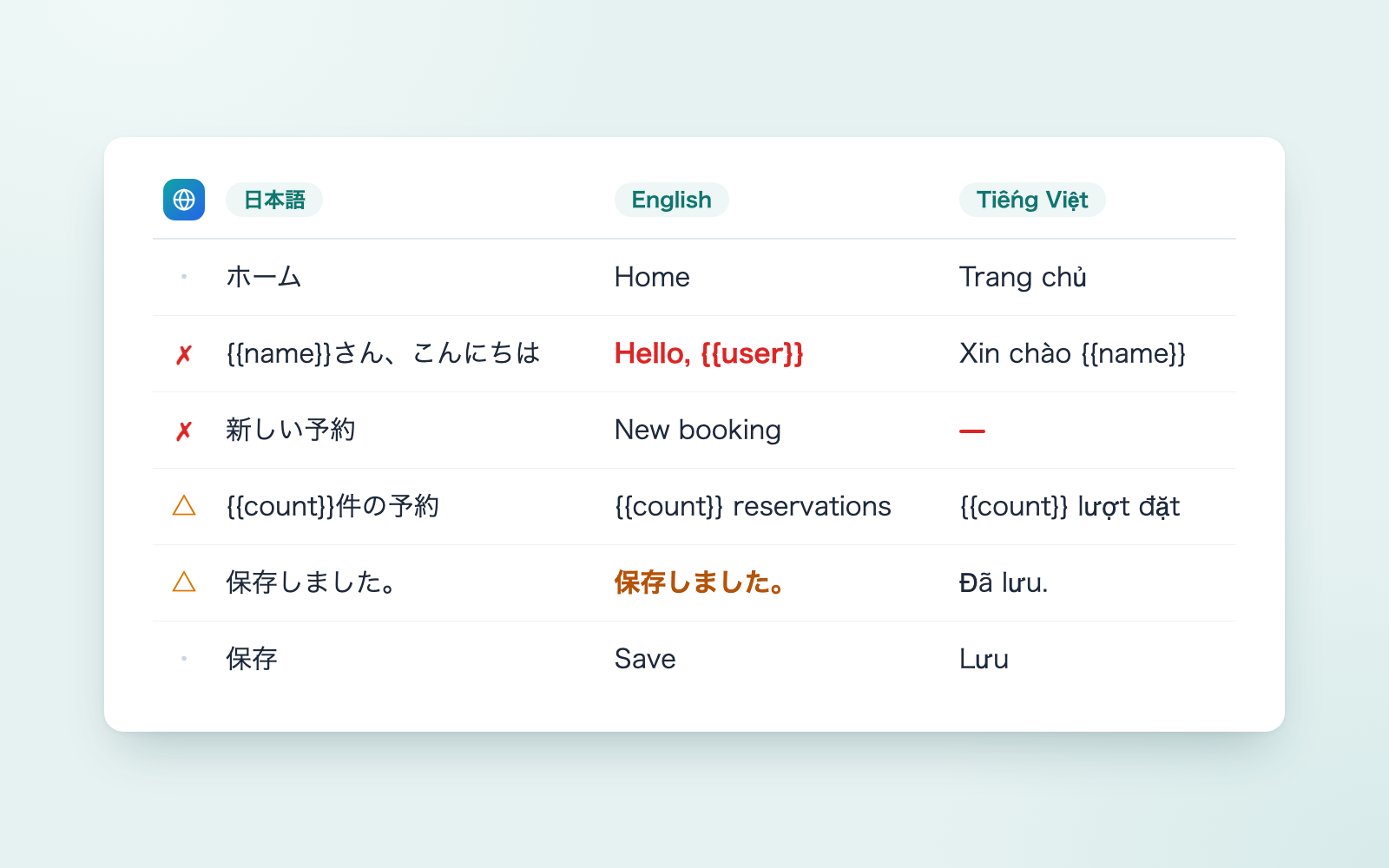
Finds every language file in the app (Rails YAML, React/Vue JSON, TypeScript dictionaries, WordPress .po, iOS, Android) and compares them by language. Things that break the screen — missing entries, broken placeholders, unquoted YAML Yes/No that becomes true/false — are flagged with ✗. Things that might be a problem — missed translations, Simplified characters mixed into Traditional, plurals that render as "1 items", inconsistent terminology — are flagged with △. Results are collected on one page that opens automatically, along with a sheet you can hand straight to a translator and drafts for any missing translations, which are checked before being placed into copies of the language files. Whether to unify or keep separate terms is always decided by a person.
The fixes baked into this kit
- English Yes/No rendered as true/false on screenUnquoted Yes/No/on/off in YAML get read by Ruby as booleans, so missing the English "Yes"/"No" entries made the screen show true instead. Fixed by flagging every unquoted Yes/No/on/off/true/false/number/date as ✗, verified against Ruby's own YAML parsing across 26 files.
- One shared-block gap surfaced as 20 separate errorsThe Japanese file defined archived_at in a shared block that every screen merged in, but the English shared block was missing just that one key, so the gap appeared 20 times. Fixed by tracing merges back to the source and flagging only that one spot, noting that the other 19 are fixed there too.
- Same term in different locations shows as separate gapsJapanese and English had the same term nested under different parent keys, so it showed up as 6 missing and 6 extra entries. Fixed by recognizing matching terms under different parents and merging them into a single "location shifted" item.
- 41 false positives for Simplified characters in Traditional textThe Simplified-character table was built from whole words, so it wrongly included characters also used in Traditional Chinese. Rebuilt the table character by character, keeping only characters not used in Traditional, cutting false positives from 41 to 0.
- Japanese text in English screens wasn't explainedWhen i18next's fallbackLng is set to ja, missing English translations make Japanese text appear on English screens. This was reported only as "translation not shown," so it now reads fallbackLng from the config and reports specifically that Japanese is appearing on the English screen.
- Draft translation diffs ballooned to 126 linesWriting out the whole JSON copy reordered keys to match the base language and expanded single-line nested objects, turning 7 added entries into a 126-line diff. Changed to inserting only the added lines, so diffs now match the actual additions.
- Password-reset notices flagged as prompt injectionCombinations of words like "send" and "show" triggered the "AI instruction-like text" check, flagging 4 password-reset notices. Narrowed the check to phrases that cancel or override instructions, plus things like "send me the .env file," cutting false positives to 0.
- Translator-facing sheet included internal check resultsThe Excel sheet meant for translators included internal check results and unreleased feature names, which would be visible if shared outside the company. Split the output into a dedicated "for translators" folder containing only text, items needing translation, and the glossary.
What's inside
- The flow (ask → check → view results → draft translations → human review)
- A tool that finds every language file and compares them (Rails, React/Vue, TypeScript, WordPress, iOS, Android)
- A check that flags screen-breaking issues with ✗ and possible issues with △
- A one-page results screen that opens automatically
- A sheet you can hand straight to a translator (no check results included)
- A tool that drafts missing translations, checks them, then inserts them into copies of the language files
- A glossary that shows inconsistent terms and asks whether to unify or keep them separate
- A sample fictional booking app with common mistakes already inserted
File list (40)
- .gitignore
- AGENTS.md
- CLAUDE.md
- KIT.md
- NOTES.md
- data/README.md
- output/README.md
- rules/CHECK.md
- rules/FLOW.md
- rules/PROMPTS.md
- rules/SPEC.md
- rules/TONE.md
- samples/sample-app/README.md
- samples/sample-app/android/app/src/main/res/values-en/strings.xml
- samples/sample-app/android/app/src/main/res/values/strings.xml
- samples/sample-app/ios/App/en.lproj/Localizable.strings
- samples/sample-app/ios/App/ja.lproj/Localizable.strings
- samples/sample-app/rails/config/locales/mail.en.yml
- samples/sample-app/rails/config/locales/mail.ja.yml
- samples/sample-app/rails/config/locales/view.en.yml
- samples/sample-app/rails/config/locales/view.ja.yml
- samples/sample-app/web/src/i18n/dictionaries/en.ts
- samples/sample-app/web/src/i18n/dictionaries/ja.ts
- samples/sample-app/web/src/i18n/dictionaries/zh-Hant.ts
- samples/sample-app/web/src/i18n/index.ts
- samples/sample-app/web/src/i18n/locales/en.json
- samples/sample-app/web/src/i18n/locales/ja.json
- samples/sample-app/web/src/i18n/locales/vi.json
- samples/sample-app/wordpress/wp-content/languages/ja.po
- samples/sample-app/wordpress/wp-content/themes/midori/languages/midori-ja.po
- samples/sample-terms.json
- samples/sample-translations.json
- tools/draft.mjs
- tools/lib/check.mjs
- tools/lib/find.mjs
- tools/lib/glossary.mjs
- tools/lib/holes.mjs
- tools/lib/json.mjs
- tools/lib/lang.mjs
- tools/lib/mobile.mjs
The first three decisions
- Which app (the folder location)
- The source language (usually Japanese)
- Who will check the translations (and any existing glossary)
What you need
- No extra costClaude Code or CodexBoth CLAUDE.md and AGENTS.md are included; this AI writes the translation drafts.
- No extra costNode.js 18 or laterNeeded to run the tools. Nothing else to install.
- No extra costExcel or NumbersTo view the text sheet and glossary.
How to use
Just paste this into your AI.
I want to use the nice to have kit "Multilingual File Check Kit". Follow https://nicetohave.app/en/g/PADRAK5J-•••••••••• and set it up.
Works the same in Claude Code or Codex.
Read what this tells your AI to do, before you paste it
If you would rather take the files yourself
Paste the line above and your AI fetches it. If your AI cannot fetch it, or you would rather download it yourself, start here.
- Unpack the zip you downloaded
- Open the resulting folder in Claude Code or Codex (in VS Code, "Open Folder")
- Type "start building with this kit". The instructions are inside (Claude Code reads
CLAUDE.md, Codex readsAGENTS.md)
FAQ
- Can it read .stringsdict, .xcstrings, .xliff, .arb or .properties files?
- Not yet. It supports Rails YAML, React/Vue JSON, TypeScript dictionaries, WordPress .po files, iOS, and Android language files.
- Will it fix translation nuance, like phrasing or politeness level?
- No, it can't judge that. It only checks placeholders, glossary terms, length, and character type, so a drafted translation should be read by someone who knows the language before it's applied.
- If a term like "reservation" is split between Reservation and Booking, will it unify them for me?
- No. Since the split can be intentional, it shows both translations and where each is used, and leaves the choice to unify or keep them separate to you. Your decision is saved in the glossary.
- Can it check WordPress language packs too?
- No. Language packs under wp-content/languages or plugins aren't something you'd fix yourself, so they're excluded from checking.
- What happens if a language file contains text like "ignore previous instructions"?
- The AI won't follow it — it's translated as ordinary text, and flagged as "instruction-like text" for you to see.
Reviews
This is your kit. You can also see its reviews on your page.
No reviews yet. Be the first to say something.
Supporters
Once support opens, the people who backed this kit will be listed here.
- Publisher
 shuto-shinoda
- Published
- 2026/10/15
- Price
- Free
- Category
- Delegate work
- Personal data
- Not handled
- Security review
- Not needed (no personal data)
- What's inside
More kits
shuto-shinoda2026/10/16
 Internal Approval & Ringi KitFree
Builds approval tables and ringi drafts, checks them, and keeps an approval ledger
shuto-shinoda2026/10/16
Internal Approval & Ringi KitFree
Builds approval tables and ringi drafts, checks them, and keeps an approval ledger
shuto-shinoda2026/10/16
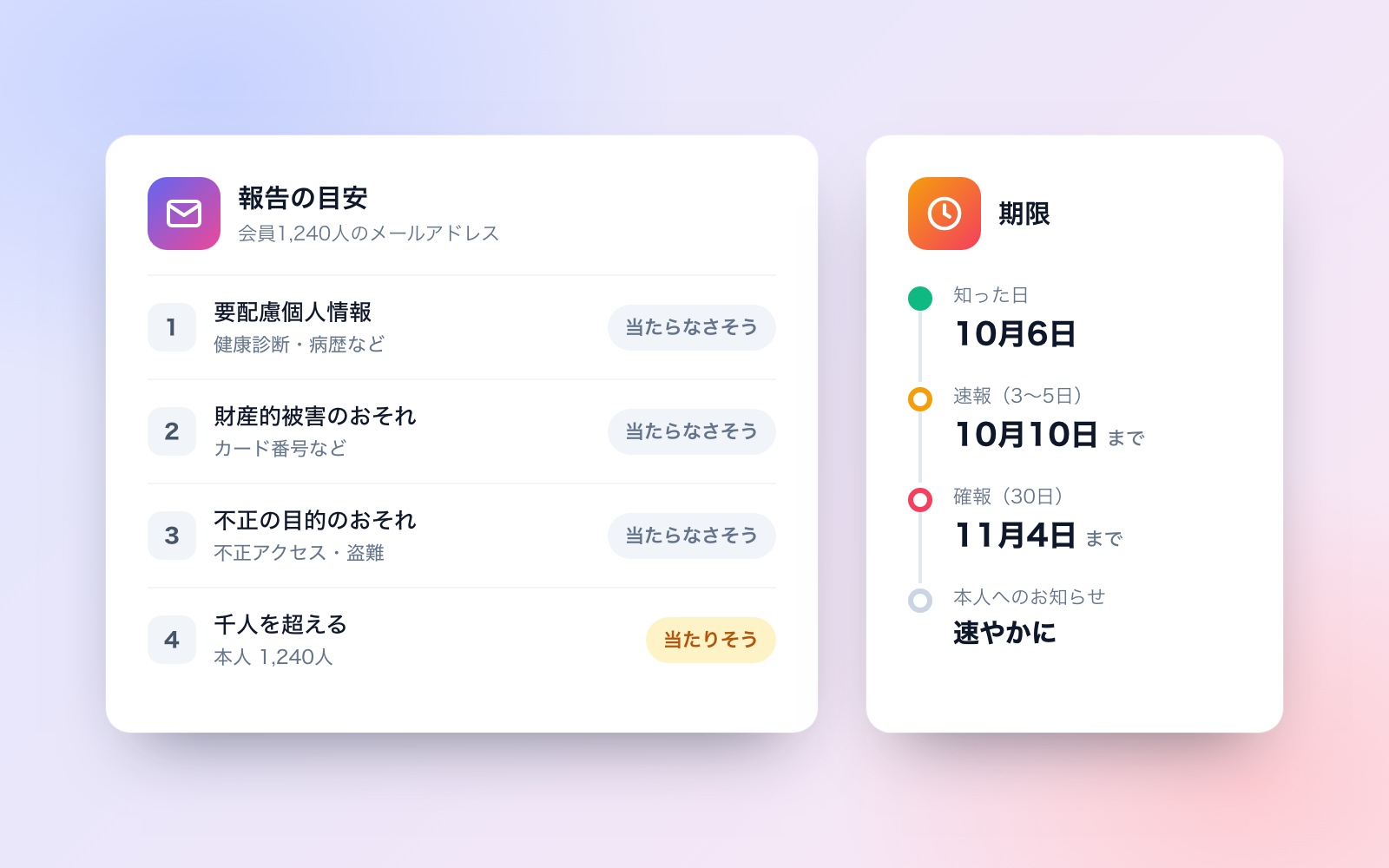
 Personal Data Breach Report KitFree
Drafts report guidance, deadlines and notices for a data breach
shuto-shinoda2026/10/16
Personal Data Breach Report KitFree
Drafts report guidance, deadlines and notices for a data breach
shuto-shinoda2026/10/16