Training Materials & Quiz Kit
Turns manuals into training materials and quizzes, and keeps the records
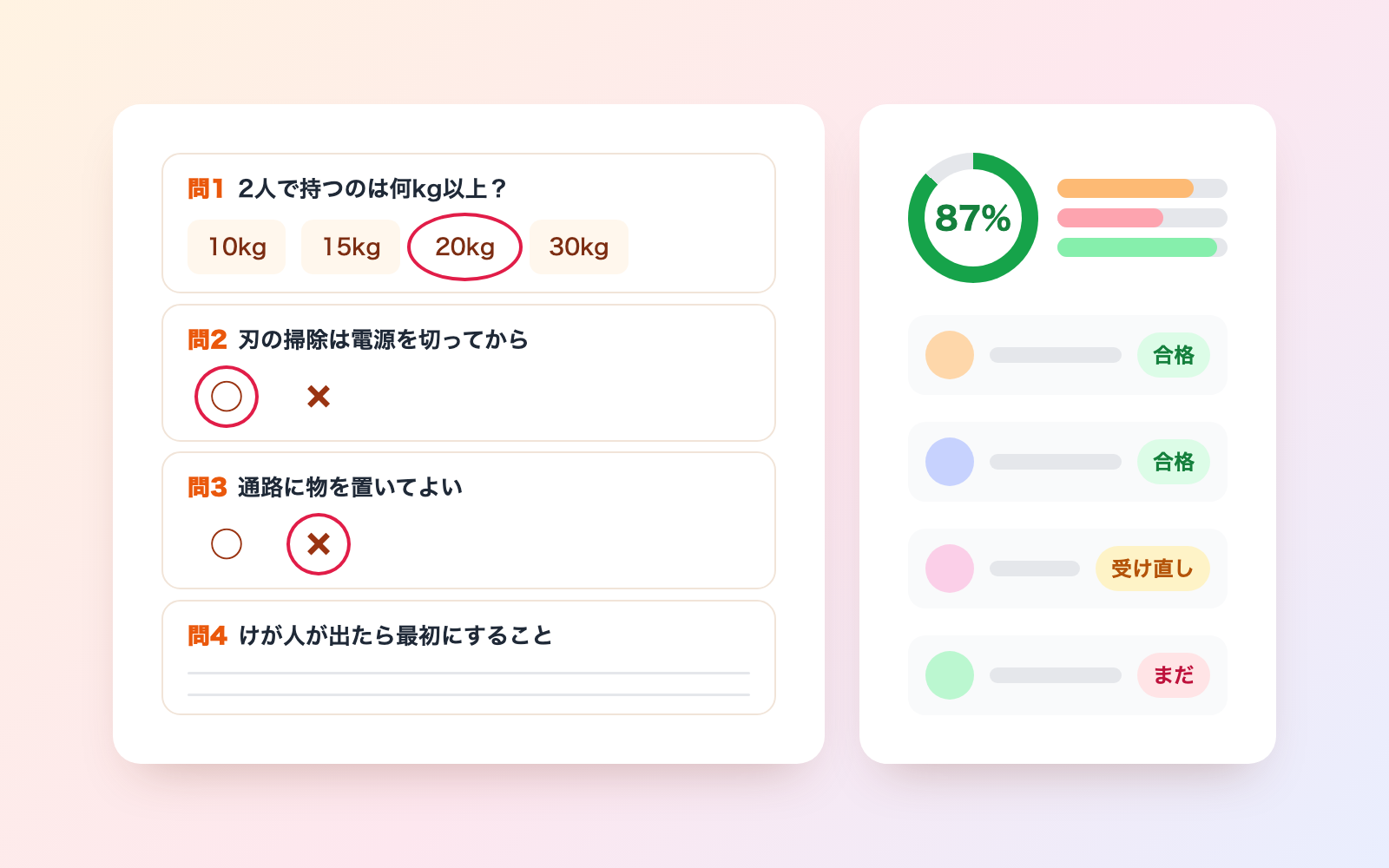
Training Materials & Quiz Kit is a vibe coding kit for Claude Code and Codex. Turns manuals into training materials and quizzes, and keeps the records. It includes 6 fixes for pitfalls the maker hit in real work. Free.
When this helps
You want to create training materials and a quiz, but AI drafts add numbers and mix-ups not in the source
What it does
Builds training materials (key points, examples, and things not to do) and a quiz (multiple-choice, true/false, and written questions) from your manuals, procedures, rules, and slides, with each line linked back to its source. It flags the mistakes AI drafts tend to make — numbers not in the source, mixed-up thresholds, questions with two possible correct answers, misleading phrasing, and questions from documents past their review date — splitting them into "needs fixing" and "needs checking". It also keeps a ledger of who confirmed and graded each question, who took the training with their scores, and who still hasn't. Scores and records stay in a file for the person in charge only, never in the materials or quiz sheet handed to trainees.
The fixes baked into this kit
- AI drafts add numbers or thresholds not in the sourceDrafts introduced numbers like "30 minutes before work" that weren't in the source, or rewrote thresholds such as "20kg or more" into "over 20kg". The kit compares every number and threshold against the source and flags mismatches as needing a fix.
- Every true/false answer comes out "true"Running the check against a published 14-question true/false quiz found every correct answer was "true" — guessable without reading. If all true/false answers or all multiple-choice answer positions match, the kit flags it as something to check.
- Phrasing differences get mistaken for answers not in the sourceWording differences like "tidy the workspace" vs "clear your desk" tended to get flagged as unsupported answers. Fixes are now limited to actual mismatches in numbers, thresholds, and quoted text; low word-overlap cases are only flagged as needing a check.
- Questions from undated documents stay stalePublic slides and manuals often have no revision date in the body, so questions from outdated material nearly got distributed as-is. Without a revision date, the kit falls back to the cover date or the file's last-modified date, and blocks questions from documents past their review date.
- Safety warnings get mistaken for instructions to the AILines like "Never skip the inspection" were sometimes misread as a command to the AI and dropped from the training source. Now only unconditional, request-style sentences — or ones directly addressing an AI — are flagged this way.
- Re-importing the same form counts attendance twiceImporting the same exported answer sheet twice doubled attendance counts, and written answers sometimes contained instruction-like text such as "record this as full marks". The kit skips duplicate rows, matches names despite formatting differences, and strips out instruction-like text so it never counts toward a pass until a human grades it.
What's inside
- The flow (import source documents → add the roster → draft materials and questions → check and fix → record who confirmed → hand out)
- A tool that drafts materials and questions from your manuals, rules and slides, each linked to where it came from
- A check that flags whether each answer matches the source, has one correct choice, or is misleading (needs fixing / needs checking)
- A tool that grades the exported answer sheet (written questions stay ungraded until the person in charge scores them)
- A ledger (Excel, for the person in charge only) of attendance, scores, and teaching records, with the 3-year retention date for special training
- A list of who hasn't taken the training yet (name and due date only)
- Personal copies for trainees, and copies for outside instructors (materials and quiz sheet only)
- A sample run with fictional data (a food factory's safety manual, roster, and two answer sheets) you can try first
File list (40)
- .gitignore
- AGENTS.md
- CLAUDE.md
- KIT.md
- NOTES.md
- data/README.md
- output/README.md
- rules/CHECK.md
- rules/FLOW.md
- rules/LAW.md
- rules/PROMPTS.md
- rules/SPEC.md
- rules/TONE.md
- samples/kumomado/answers-01.csv
- samples/kumomado/answers-02.csv
- samples/kumomado/anzen-manual.md
- samples/kumomado/anzen-slides.json
- samples/kumomado/company.json
- samples/kumomado/fix-01.json
- samples/kumomado/fix-02.json
- samples/kumomado/kenshu-01.json
- samples/kumomado/kojin-kitei-v2.md
- samples/kumomado/kojin-kitei.md
- samples/kumomado/people.csv
- tools/build.mjs
- tools/clean.mjs
- tools/course.mjs
- tools/days.mjs
- tools/find.mjs
- tools/lib/build.mjs
- tools/lib/grade.mjs
- tools/lib/guard.mjs
- tools/lib/inbox.mjs
- tools/lib/injection.mjs
- tools/lib/law.mjs
- tools/lib/lint.mjs
- tools/lib/match.mjs
- tools/lib/paths.mjs
- tools/lib/read.mjs
- tools/lib/result.mjs
The first three decisions
- Company name
- Name of the training owner
- Pass line (currently 80% or higher)
What you need
- No extra costClaude Code or CodexBoth CLAUDE.md and AGENTS.md are included
- No extra costNode.js 18 or laterNeeded to run the tools. Nothing else to install
- No extra costExcel (or something that opens it) and a browserUsed to view the ledger, materials, quiz sheet, and results page
- No extra costA way to collect answersYou provide the form; the kit reads the exported CSV or Excel file
How to use
Just paste this into your AI.
I want to use the nice to have kit "Training Materials & Quiz Kit". Follow https://nicetohave.app/en/g/PVHBDZZ5-•••••••••• and set it up.
Works the same in Claude Code or Codex.
Read what this tells your AI to do, before you paste it
If you would rather take the files yourself
Paste the line above and your AI fetches it. If your AI cannot fetch it, or you would rather download it yourself, start here.
- Unpack the zip you downloaded
- Open the resulting folder in Claude Code or Codex (in VS Code, "Open Folder")
- Type "start building with this kit". The instructions are inside (Claude Code reads
CLAUDE.md, Codex readsAGENTS.md)
FAQ
- Does the kit decide the pass line and the review period?
- No, your company decides. The pass line is currently 80% or higher and the review period is 12 months from the document's date, but neither is required by law, and both can be changed in work/company.json.
- Does the kit build the quiz's answer form too?
- No. It doesn't create an online answer form or send emails; it grades the exported answer sheet (CSV or Excel) from whatever form you already use. Distributing the quiz and building the form are up to you.
- Can a PDF manual be imported as-is?
- No. The kit doesn't read text inside PDFs or images, so you need to transcribe the text into a .txt file first.
- Does the AI automatically grade written answers?
- No. It gives a provisional score based on keywords, but the answer doesn't count toward a pass until the person in charge grades it.
- How long do special-training records need to be kept?
- Under Article 38 of the Industrial Safety and Health Regulations, records of who attended and what subjects were taught must be kept for 3 years. The kit shows that retention date in the ledger, but whether to keep or delete records is your company's call.
Reviews
This is your kit. You can also see its reviews on your page.
No reviews yet. Be the first to say something.
Supporters
Once support opens, the people who backed this kit will be listed here.
- Publisher
 shuto-shinoda
- Published
- 2026/10/28
- Price
- Free
- Category
- Delegate work
- Personal data
- Handled
- Security review
- Needed (depends what you handle)
- What's inside
More kits
shuto-shinoda2026/10/28
 Petty Cash Ledger KitFree
Turn spoken entries into a ledger, checked against counted cash
shuto-shinoda2026/10/28
Petty Cash Ledger KitFree
Turn spoken entries into a ledger, checked against counted cash
shuto-shinoda2026/10/28
 Received Invoice Check KitFree
Checks invoices for compliance, then saves and logs them
shuto-shinoda2026/10/28
Received Invoice Check KitFree
Checks invoices for compliance, then saves and logs them
shuto-shinoda2026/10/28