Workplace Injury Report Kit
Describe an injury, get report drafts, an incident report, and a to-do list
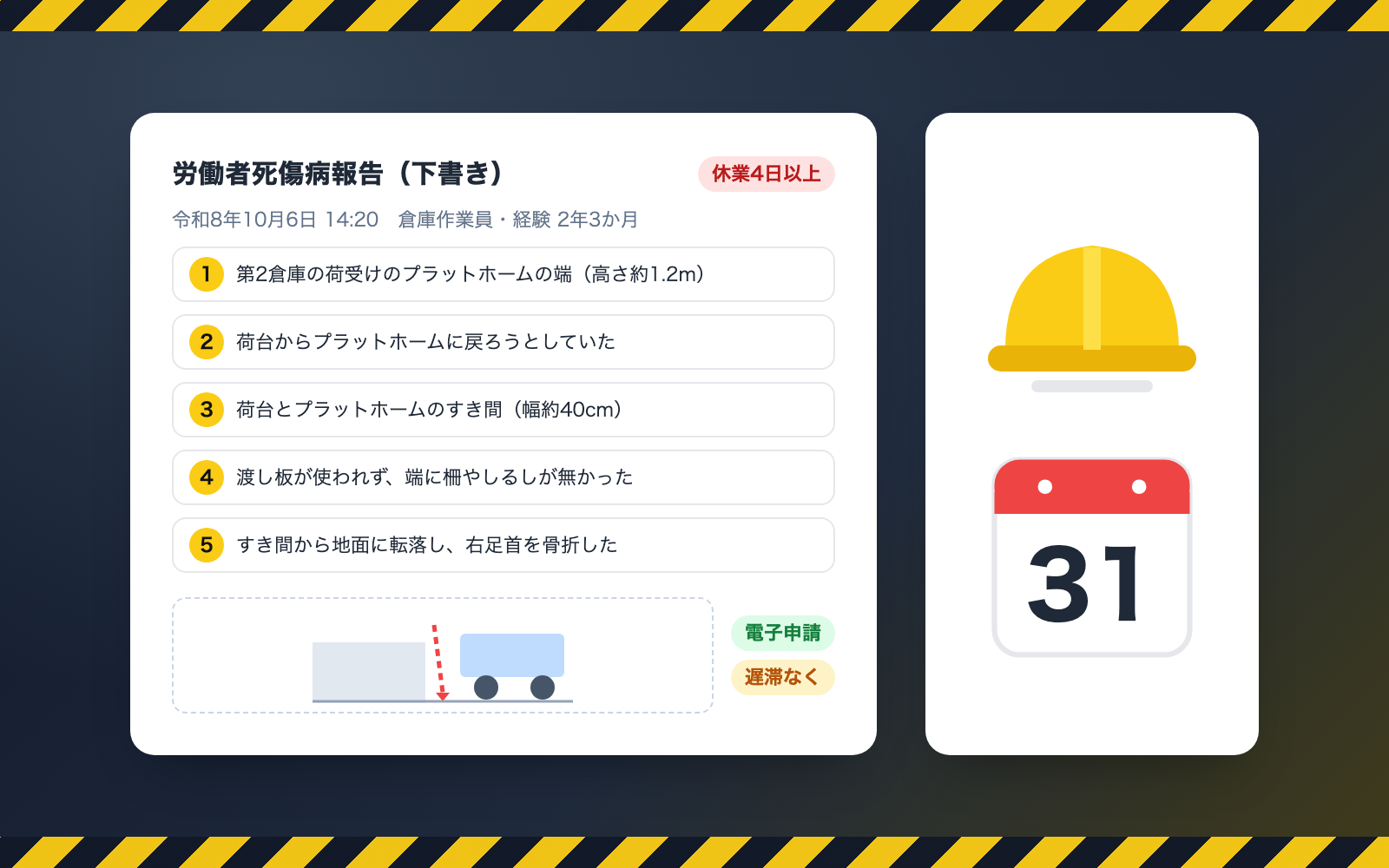
Workplace Injury Report Kit is a vibe coding kit for Claude Code and Codex. Describe an injury, get report drafts, an incident report, and a to-do list. It includes 7 fixes for pitfalls the maker hit in real work. Free.
When this helps
When an injury happens, deadlines and report formats are confusing, and incident reports often end at "carelessness"
What it does
From a description of an injury, this kit drafts a Report of Employee Injury or Illness (deadline and the values to copy into Japan's e-filing screen), an internal incident report (why-why analysis and corrective actions), and guidance plus a to-do list for the injured employee. Checked against official MHLW filing examples and published accident records, it surfaces and fixes pitfalls like vague descriptions, miscounted days off work, and pre-existing conditions leaking into documents, flagging them without stopping the work. It also builds an accident and near-miss log and an anonymized trend summary. You file the e-filing yourself.
The fixes baked into this kit
- Used to advise handwriting onto the old "Form 23"Since January 2025, electronic filing is the standard method under the Industrial Safety and Health Regulations Art. 97. The old form is only for a transition period and the form itself changed, so the kit drafts values in the order you'd copy them into the e-filing screen.
- Miscounted the deadline for under-4-day absences as "end of next month"The correct deadline is the end of the month following the end of each quarter (e.g. an injury on April 4 is due July 31). A labor bureau's worked example is included in the self-test.
- Excluded paid leave days from the day count, undercounting below 4 daysPaid leave and days off still count toward days off work if the employee couldn't work, per labor bureau guidance. At the boundary of whether the injury day itself counts, the kit flags it rather than deciding, and prepares the "4 days or more" filing as the default until confirmed.
- Vague descriptions like "during work", "machine", "carelessness" got acceptedFollowing MHLW's guidance to avoid descriptions that are "simply" one word, the kit flags these and suggests specifics with examples. Verified that none of the 4 official worked examples trigger a flag.
- Guessing the accident type from injury names caused mismatchesE.g. "laceration" matched "cut/abrasion", and the "cart" in a trolley's name matched "traffic accident". The kit no longer decides the type from the injury name and excludes carts from "vehicle". Against public data the top guess is right 60-70% of the time, so it's labeled an estimate and a second candidate is also shown.
- Pre-existing conditions and medication notes leaked into documentsNotes like "takes blood pressure medication" are stripped from records, documents and working notes (the current injury's name and body part are kept). Before producing the internal notice, the tool re-scans it and withholds it if names or injury details remain.
- A note saying "told to use health insurance instead" got recorded as-isStatements that could amount to concealing a workplace accident are flagged rather than silenced, with a note that filing is a legal obligation. The kit never defaults to not filing.
What's inside
- A workflow that tells you whether a report is required and its deadline
- A Report of Employee Injury or Illness draft, in the order you copy it into the e-filing screen
- An internal incident report (timeline, why-why analysis, corrective actions)
- Guidance and a to-do list with deadlines, to hand to the injured employee
- An accident and near-miss log (Excel) and an anonymized trend summary
- Pitfalls found by checking official filing examples and public accident records, and how they're fixed
- A sample run with a fictional trucking company, so you can try it out
File list (40)
- .gitignore
- AGENTS.md
- CLAUDE.md
- KIT.md
- NOTES.md
- data/README.md
- output/README.md
- rules/CHECK.md
- rules/FLOW.md
- rules/LAW.md
- rules/PROMPTS.md
- rules/SPEC.md
- rules/TONE.md
- samples/hoshikage-unso/case1-fall.json
- samples/hoshikage-unso/case2-cut.json
- samples/hoshikage-unso/case3-trip.json
- samples/hoshikage-unso/case4-commute.json
- samples/hoshikage-unso/company.json
- samples/hoshikage-unso/hiyari.json
- tools/days.mjs
- tools/done.mjs
- tools/find.mjs
- tools/fix.mjs
- tools/hiyari.mjs
- tools/lib/build.mjs
- tools/lib/classify.mjs
- tools/lib/dates.mjs
- tools/lib/engine.mjs
- tools/lib/guard.mjs
- tools/lib/injection.mjs
- tools/lib/law.mjs
- tools/lib/ledger.mjs
- tools/lib/lint.mjs
- tools/lib/paths.mjs
- tools/lib/render.mjs
- tools/lib/result.mjs
- tools/lib/store.mjs
- tools/lib/summary.mjs
- tools/lib/xlsx-read.mjs
- tools/lib/xlsx-write.mjs
The first three decisions
- Name, address and phone number of the worksite
- Industry type and number of employees
- Who writes the report, and the representative's title and name
What you need
- No extra costClaude Code or CodexBoth CLAUDE.md and AGENTS.md are included
- No extra costNode.js 18 or newerNeeded to run the tools. Nothing else to install
- No extra costExcel or NumbersTo view the accident log (Excel format)
- No extra costAn e-Gov account or GBizIDOnly if you file the report electronically (the kit itself does not use it)
How to use
Just paste this into your AI.
I want to use the nice to have kit "Workplace Injury Report Kit". Follow https://nicetohave.app/en/g/YDA78T46-•••••••••• and set it up.
Works the same in Claude Code or Codex.
Read what this tells your AI to do, before you paste it
If you would rather take the files yourself
Paste the line above and your AI fetches it. If your AI cannot fetch it, or you would rather download it yourself, start here.
- Unpack the zip you downloaded
- Open the resulting folder in Claude Code or Codex (in VS Code, "Open Folder")
- Type "start building with this kit". The instructions are inside (Claude Code reads
CLAUDE.md, Codex readsAGENTS.md)
FAQ
- Does the kit decide whether this counts as a workplace accident?
- No. Whether an injury is work-related is decided by the Labor Standards Inspection Office, not the kit. It only prepares the report format, deadline, and procedures based on the facts you describe.
- Can it be used for injuries to sole proprietors or independent contractors?
- No. People who aren't employees fall outside the Report of Employee Injury or Illness. From January 1, 2027, the party ordering the work may need to file a separate "Individual Business Operator Injury Report" instead; the kit flags this possibility but does not draft that report.
- Can it also fill out workers' compensation insurance claim forms?
- No. The kit only produces the injury report draft, the internal incident report, and guidance for the employee. It doesn't produce the claim forms themselves or calculate average wages or benefit amounts.
- What happens if I mention a pre-existing condition or medication in my notes?
- It's automatically stripped from records, documents, and working notes. Only the current injury's name and body part are kept, and the original files you hand over are never edited.
- Can I use the suggested accident type and injury codes directly in the e-filing screen?
- No, don't use them as-is. They're estimates guessed from wording, and against public data the top guess is right only 60-70% of the time. Re-select them yourself on the e-filing screen.
Reviews
This is your kit. You can also see its reviews on your page.
No reviews yet. Be the first to say something.
Supporters
Once support opens, the people who backed this kit will be listed here.
- Publisher
 shuto-shinoda
- Published
- 2026/10/28
- Price
- Free
- Category
- Delegate work
- Personal data
- Handled
- Security review
- Needed (depends what you handle)
- What's inside
More kits
shuto-shinoda2026/10/28
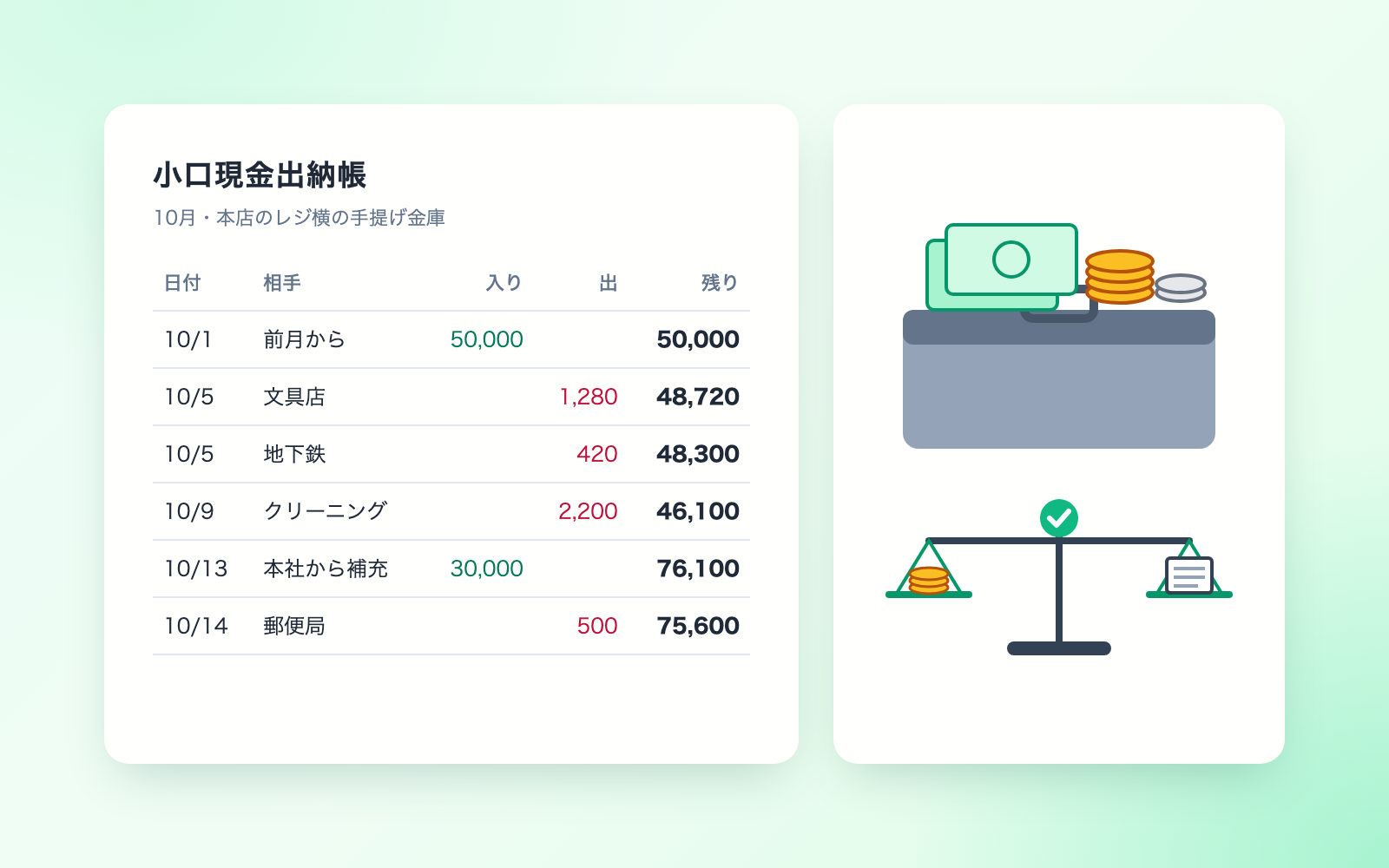
 Petty Cash Ledger KitFree
Turn spoken entries into a ledger, checked against counted cash
shuto-shinoda2026/10/28
Petty Cash Ledger KitFree
Turn spoken entries into a ledger, checked against counted cash
shuto-shinoda2026/10/28
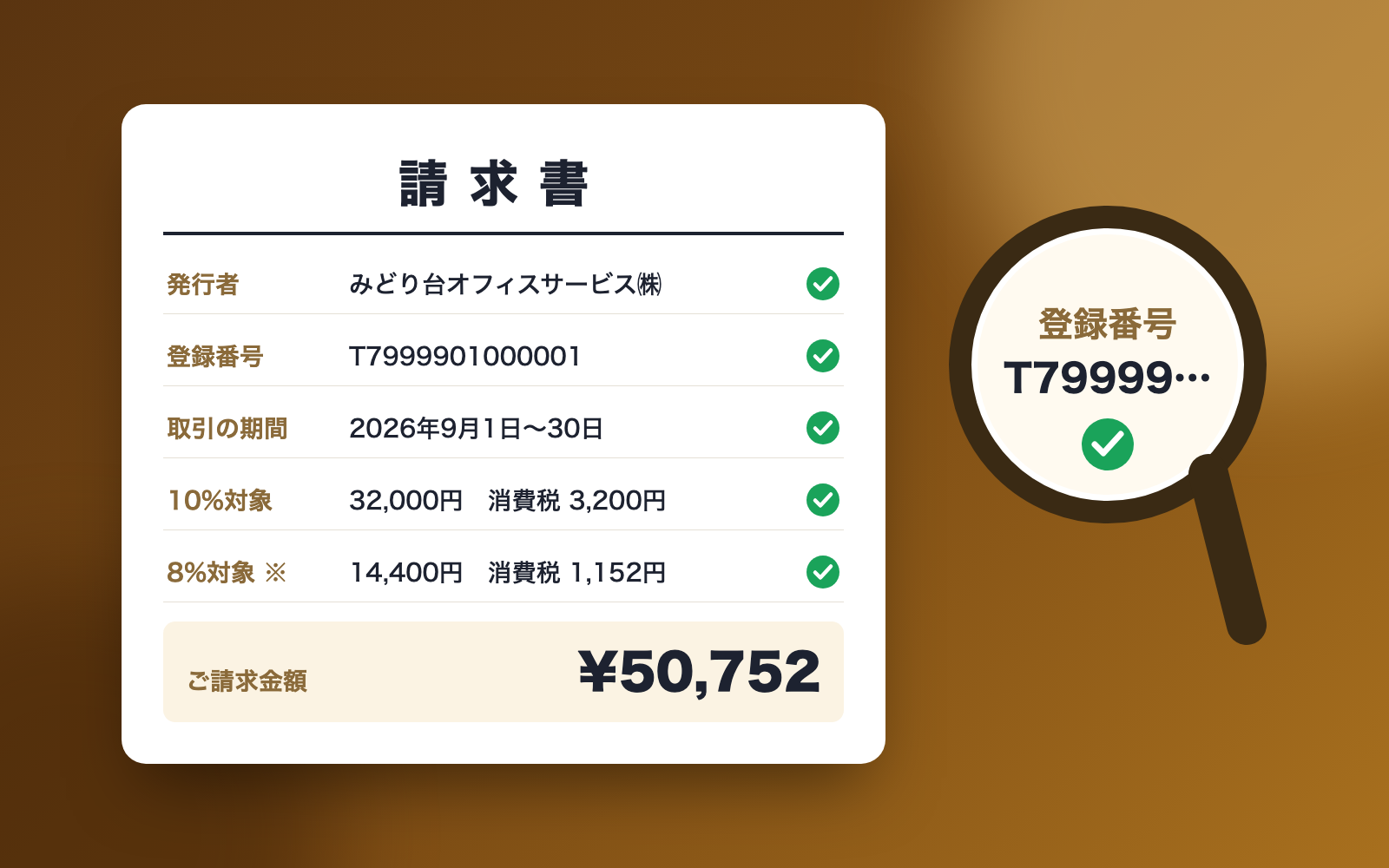
 Received Invoice Check KitFree
Checks invoices for compliance, then saves and logs them
shuto-shinoda2026/10/28
Received Invoice Check KitFree
Checks invoices for compliance, then saves and logs them
shuto-shinoda2026/10/28